
Scenarios
Turn receipt images into searchable records
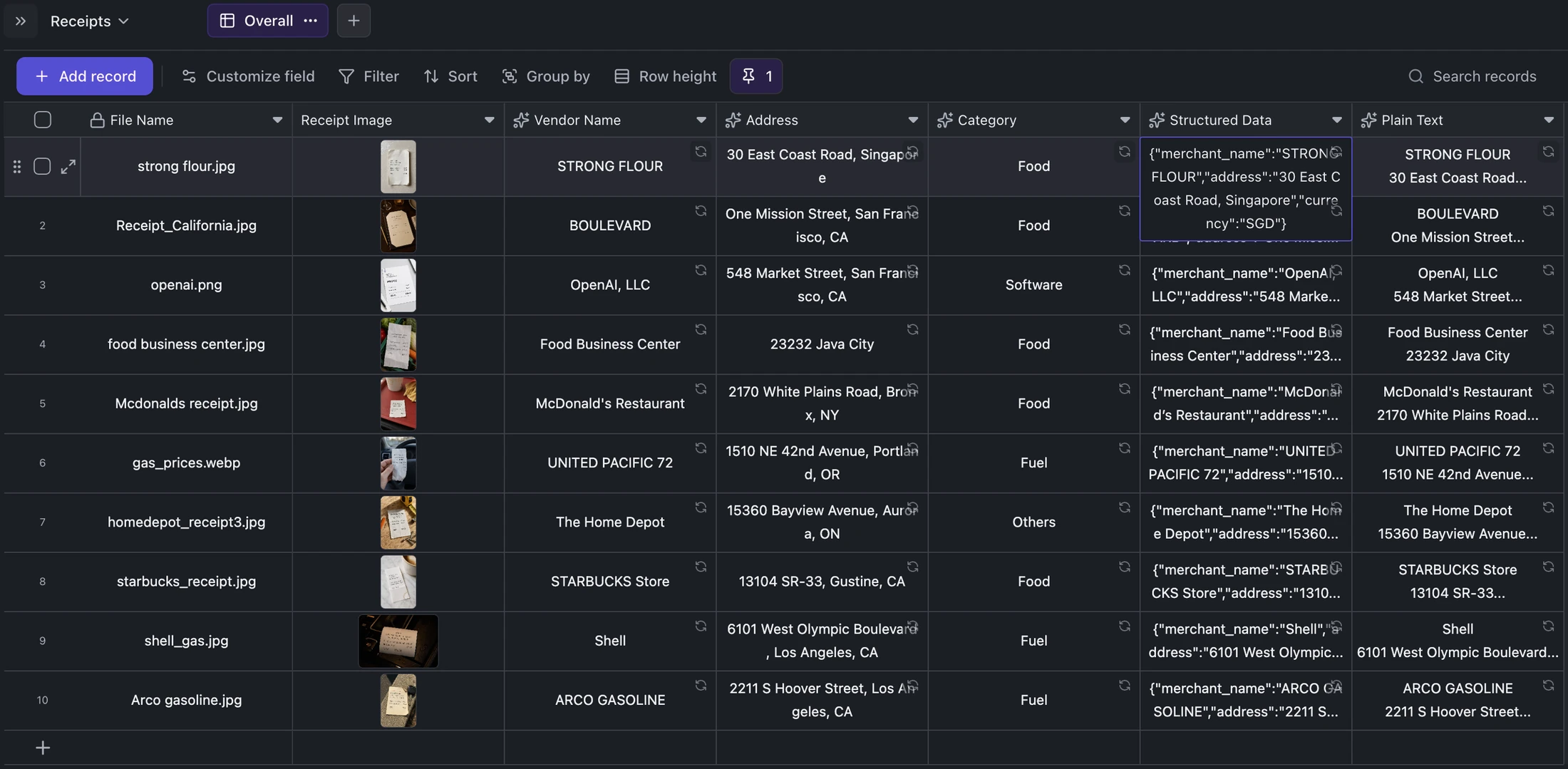
Extract vendor, address, category, structured JSON, and plain OCR text from receipt attachments in the same table row.
When to use this scenario
Use this for expense archives, reimbursement intake, bookkeeping preparation, or any process where receipt images need searchable, correctable structure.
What you provide
- One receipt image per row.
- A file name or other primary identifier.
- Optional business fields such as owner, project, cost center, or reimbursement status.
What Kition produces
- Vendor name and street address.
- A category such as Food, Fuel, Software, Travel, Office supplies, or Healthcare.
- Structured JSON containing dates, currency, subtotal, tax, total, payment method, and line items when visible.
- Plain OCR text preserving receipt line order.
How the workflow runs
Create a row and attach the receipt image.
Vision extraction fields automatically read vendor and address while classification assigns a category.
A structured extraction field builds machine-readable JSON and a second field preserves the full plain-text transcription.
Filter, correct, export, or ask the Agent to summarize the resulting records.
What to review
- Compare totals, currency, tax, and line items against the original image.
- Correct low-quality or ambiguous text before downstream accounting use.
- Check that the assigned category and vendor capitalization match your reporting rules.
Ways to adapt it
Add reimbursement status, employee, project, tax treatment, and cost-center fields.
Flag high-value or duplicate receipts with a workflow.
Export approved rows to CSV/JSON or hand them to another bookkeeping process.