
Your notes, tables, and AI agent — on your own machine.
An Obsidian-style editor, Notion-style tables, and a real AI agent — all in one local-first app. Your notes stay as plain .md files on your disk.
Free · available on macOS, Windows & Linux

A Markdown editor that feels like flow.
Live preview with Obsidian-style decorations. Wikilinks, callouts, math, mermaid. Command palette for everything. Every keystroke is a plain .md file on your disk.
- Wikilinks
[[note]]connect everything — typeahead, backlinks, graph view - Callouts, embeds, math, diagrams, code blocks — all native
- Command palette (⌘K) reaches every action — never hunt menus
- Same vault opens in Obsidian, VS Code, or any text editor

Tables, next to your prose.
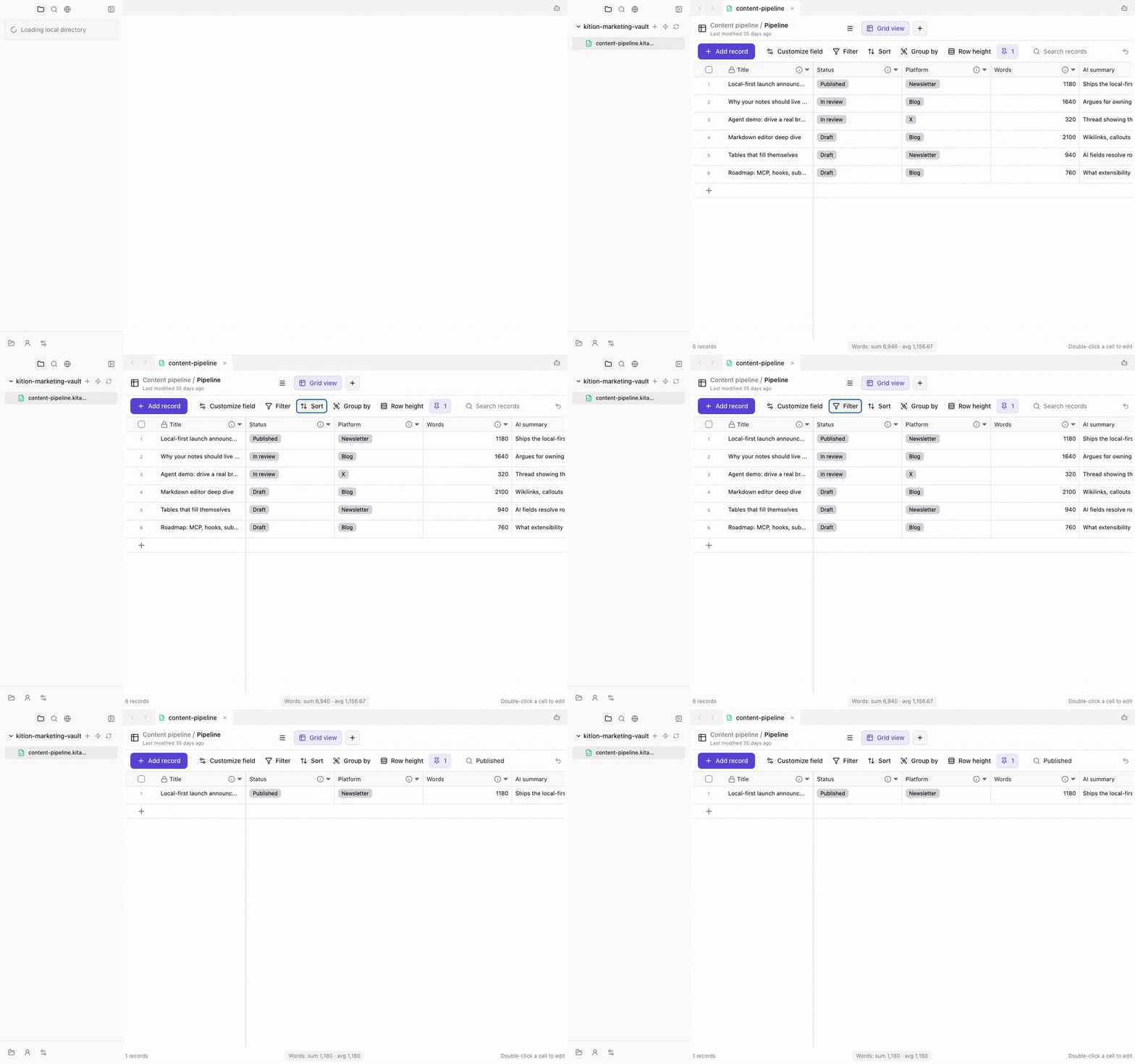
Notion-style databases inside the same vault. Track tasks, plan content, run a CRM — and let the agent fill the cells while you sleep.
- Text, number, date, select, multi-select, URL, file, formula — all field types
- Table, kanban, gallery, calendar — every view, instant switch
- AI fields auto-fill per row: summaries, classifications, draft replies
- Query a table inline from any document with one shortcut
An AI agent that actually ships work.
Not a chat box. A real autonomous worker that reads your files, edits documents, runs shell commands, browses the web, and updates tables — while you go do something else.
- Full vault tooling: read, write, search, refactor across hundreds of notes
- Shell + a real Chromium browser — not screenshots, the real thing
- Plan mode shows every step before it runs; Goal mode for long horizons
- Hooks, MCP, subagents — extend it as far as you want

A real browser, in the agent's hands.
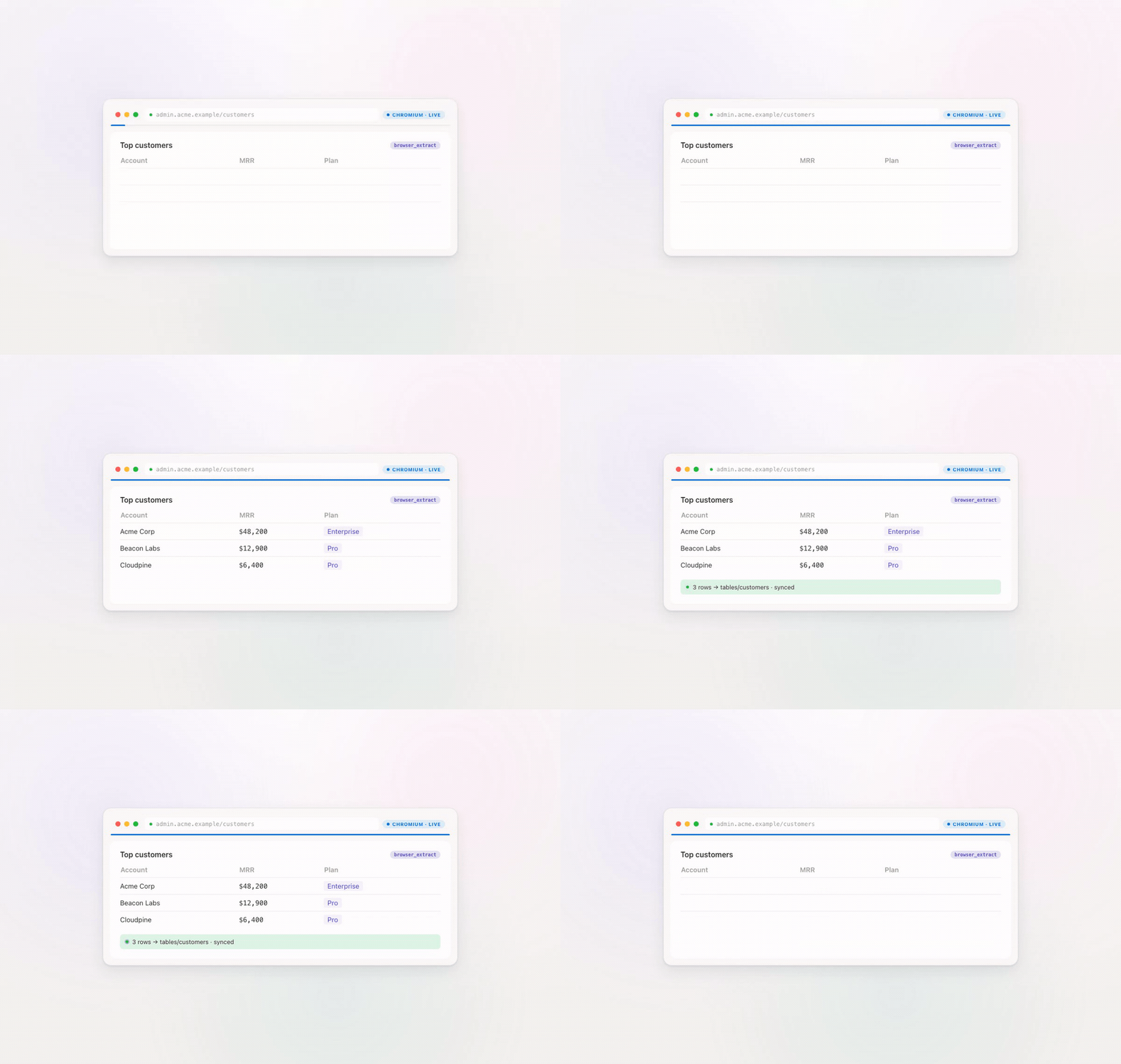
Not a flaky scraper. A real Chromium instance the agent drives — navigates, clicks, fills forms, extracts text and tables. Logs in to dashboards. Pulls live data into your vault.
- Real Chromium — handles JS-heavy pages, logins, captchas you solve once
- Extract structured data into a table with
browser_extract - Multi-tab planning — agent opens tabs in parallel, then merges results
- Headless or visible window — watch the agent work or let it run
MCP, Hooks, subagents — it bends to your stack.
Plug in any Model Context Protocol server. Intercept every tool call with Hooks. Spawn subagents for parallel work. Kition adapts to your stack instead of forcing you onto theirs.
- MCP servers: GitHub, Linear, Postgres, Slack, your internal APIs — drop-in
- Hooks: pre/post-tool middleware for audit logs, gates, custom tools
- Subagents: spawn specialized workers (researcher, fixer, reviewer) in parallel
- Custom tools: write a TS file in
.kition/tools/, agent calls it like a native one
No cloud lock-in. Ever.
Every keystroke is a plain .md file on your disk. Each table is a `.kitable` file. Your AI key lives in the OS keychain. Cancel any time, open the folder, walk away with everything intact.
- Markdown on disk — open the vault in Obsidian, VS Code, or
cat - Tables are portable
.kitablefiles — one file per table, export to CSV / JSON anytime - API keys in OS keychain — never written to disk in plaintext
- No telemetry, no account, no "sync" daemon you didn't ask for
- ▸my-vault
- ▸notes
- ·launch-plan.mdmd
- ·investor-call.mdmd
- ▸tables
- ·customers.kitablekitable
- ▸.kition
- ·config.tomlconfig
Built for real knowledge work.
Writers, researchers, developers, agencies — Kition slots into the way you already work.
Questions
Is Kition free?+
Yes — free for personal use on macOS and Windows.
Where is my data stored?+
Every note is a plain .md file and every table a .kitable file on your own disk. Nothing is forced to the cloud.
Does the AI need the cloud?+
You bring your own API key, stored in the OS keychain. No telemetry, no account required.
Can I open my notes in other apps?+
Yes. Your vault is plain Markdown — open it in Obsidian, VS Code, or any editor at any time.
Which platforms are supported?+
macOS (Apple Silicon and Intel) and Windows.
Ready when you are.
Free for personal use. macOS and Windows. Your data stays on your machine.