
Task Tracker Table Template
Track delivery work with owners, progress, dates, priority flags, status updates, and notes in one editable Kition table.
Task Tracker Table Template
Real fields and representative values
| Task | Assignee | Progress | Expected | Important |
|---|---|---|---|---|
| User Requirement Research | Michael | In Progress | 2024-11-10 | Yes |
| Product Feature Design | Sarah | In Progress | 2024-11-15 | No |
Best for
Project leads, small product teams, and operations teams replacing an ad-hoc task spreadsheet.
Use it when
You need a concrete record of who owns each task, what changed most recently, and whether expected and actual completion dates differ.
Choose another system when
Do not use it as a substitute for an issue tracker that requires code review, release automation, or complex dependency graphs.
A visible structure you can inspect.
These are the real fields, nodes, or visual elements that make the template useful. Rename them when your process differs; do not preserve a field only because it was bundled.
01
Task Description and Task Summary — name the work and expected outcome.
02
Assignee and Progress — make ownership and current state explicit.
03
Start, Expected, and Actual Completion Date — show plan versus delivery.
04
Important, Latest Progress Update, and Notes — surface risk and evidence.
From starter to reviewed workspace
- 1
Download the .kitable starter and open it in Kition.
- 2
Replace the seeded tasks with the current project backlog.
- 3
Assign owners and expected completion dates before changing status.
- 4
Create focused views for important, in-progress, and completed work.
- 5
Update the latest progress field with evidence, not a repeated status label.
Product evidence
What is already real
- The bundled file contains 20 realistic task records and 10 typed fields.
- Expected and actual completion dates are separate fields.
- The source remains an ordinary local .kitable workspace.
Limits
What this template does not promise
- Dependencies are descriptive in this starter rather than enforced.
- Notifications require a separate workflow.
- The sample dates should be replaced before operational use.
Completed artifact
Completed Product Discovery Task Tracker Example
See how a 20-row product discovery backlog records ownership, expected delivery, actual completion, and the latest evidence.
More table templates
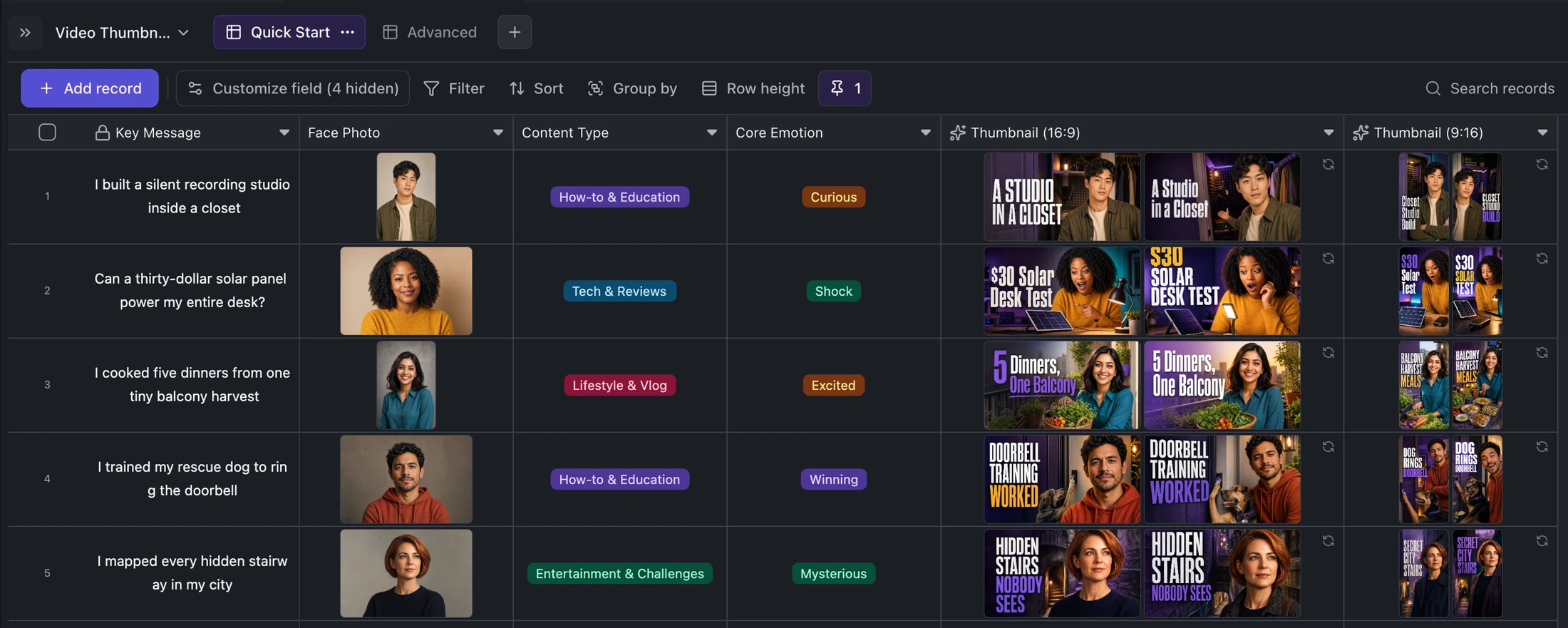
Table template
YouTube and TikTok Thumbnail Generator Template
Turn one content idea and portrait into concise titles plus two original landscape and two vertical thumbnail variants per record.
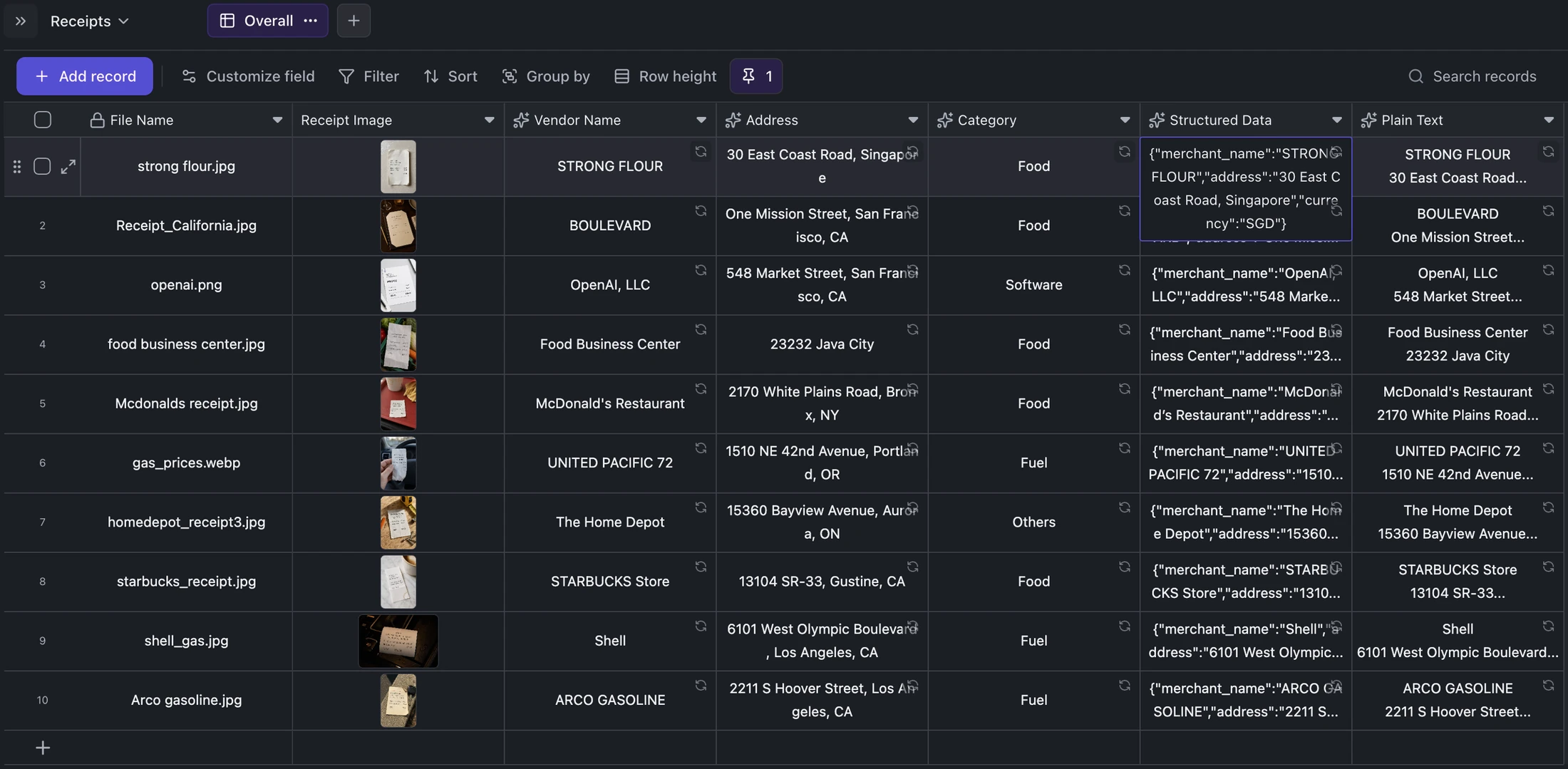
Table template
Receipt OCR Table Template
Keep receipt images beside extracted vendor, address, category, structured JSON, and plain OCR text for correction and export.
Table template
Email Inbox Sync Table Template
Import IMAP messages into a typed table, save each full message as local Markdown, and keep later sync runs incremental.
Ready when you are.
Kition is a desktop AI workspace for connected documents, structured tables, editable designs, whiteboards, visual workflows, and reviewable AI agents.