
Email Inbox Sync Table Template
Import IMAP messages into a typed table, save each full message as local Markdown, and keep later sync runs incremental.
Email Inbox Sync Table Template
Real fields and representative values
| Subject | From | Received | Mailbox | Document |
|---|---|---|---|---|
| Imported after connection | [email protected] | Sync time | Inbox | Local Markdown |
| No fabricated seed messages | — | — | — | — |
Best for
Operators, support teams, researchers, and anyone building a local, searchable email work queue.
Use it when
You want message identity, metadata, preview, attachment state, and the complete local document linked from one row.
Choose another system when
Do not use a personal mailbox without reviewing retention, access, attachment, and privacy requirements.
A visible structure you can inspect.
These are the real fields, nodes, or visual elements that make the template useful. Rename them when your process differs; do not preserve a field only because it was bundled.
01
Subject, From, To, and Received At — keep visible message identity and order.
02
Mailbox, Preview, Has Attachments, and Status — support operational triage.
03
Message ID — provide a stable idempotency key.
04
Document — open the sanitized local Markdown copy.
From starter to reviewed workspace
- 1
Open the starter and configure the email sync workflow.
- 2
Connect an IMAP mailbox through the supported connection flow.
- 3
Run an initial sync and inspect the imported row counts.
- 4
Open the linked Markdown document and verify sanitized message content.
- 5
Run the sync again and confirm existing Message IDs are not duplicated.
Product evidence
What is already real
- The starter contains a 10-field Inbox schema and starts with zero fabricated messages.
- Message ID is preserved for incremental, idempotent sync.
- The complete message is linked as a local Markdown document.
Limits
What this template does not promise
- A mailbox connection is required before real records appear.
- Authentication, attachment, and HTML handling depend on the configured provider.
- The blank starter intentionally contains no fake email content.
Completed artifact
Incremental Inbox-to-Markdown Sync Example
Follow one controlled message through IMAP import, table metadata, sanitized Markdown storage, restart, and duplicate-safe retry.
More table templates
Table template
Task Tracker Table Template
Track delivery work with owners, progress, dates, priority flags, status updates, and notes in one editable Kition table.
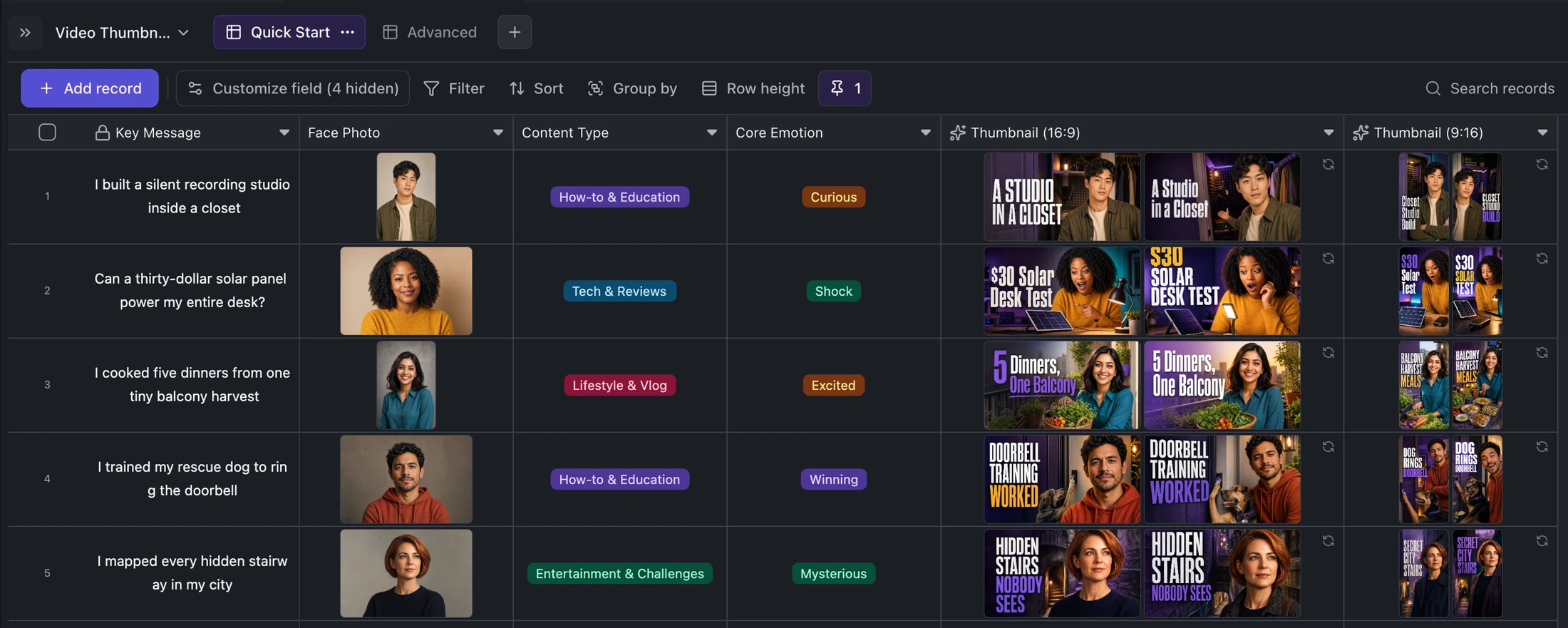
Table template
YouTube and TikTok Thumbnail Generator Template
Turn one content idea and portrait into concise titles plus two original landscape and two vertical thumbnail variants per record.
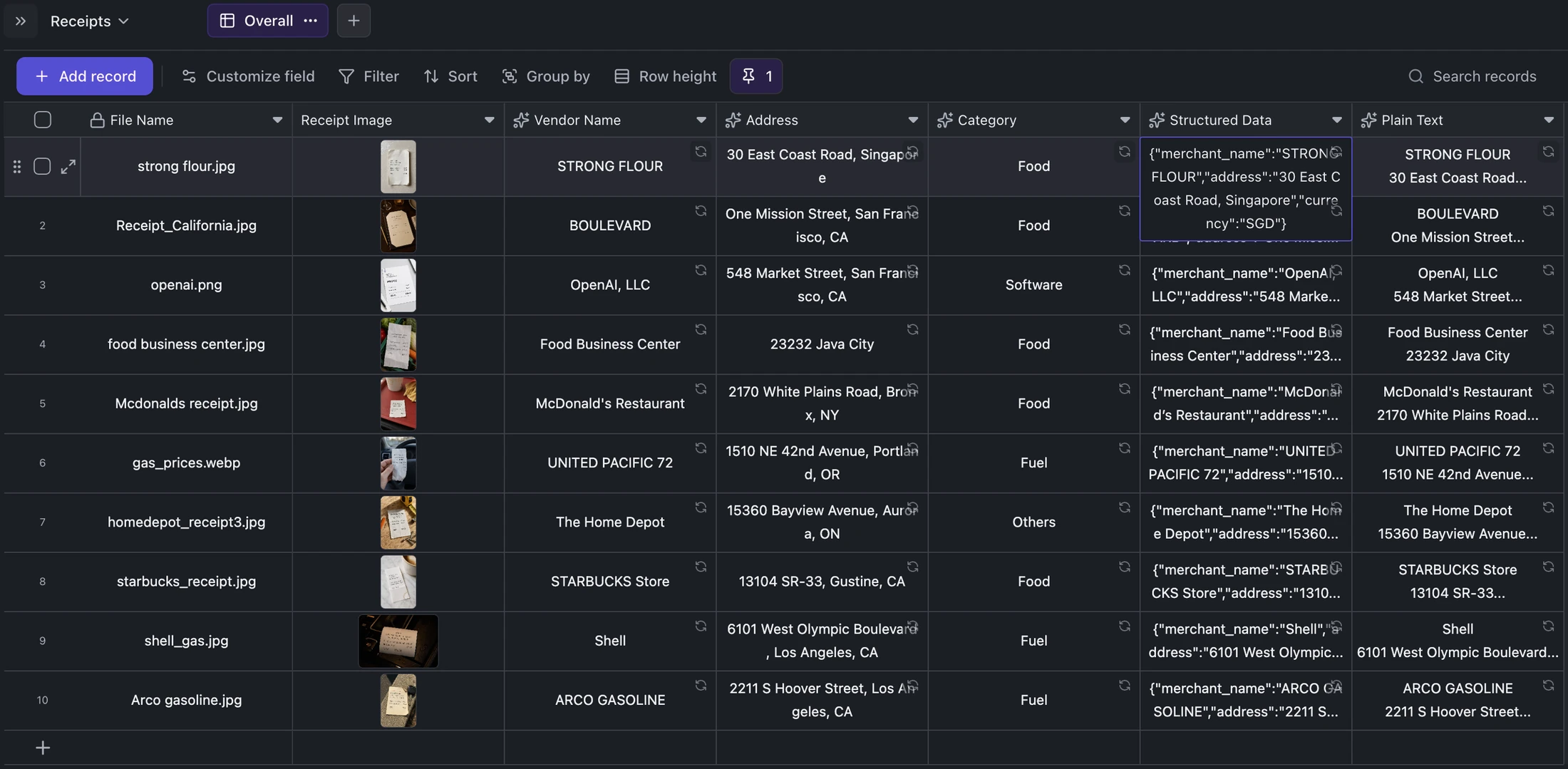
Table template
Receipt OCR Table Template
Keep receipt images beside extracted vendor, address, category, structured JSON, and plain OCR text for correction and export.
Ready when you are.
Kition is a desktop AI workspace for connected documents, structured tables, editable designs, whiteboards, visual workflows, and reviewable AI agents.