
Receipt OCR Table Template
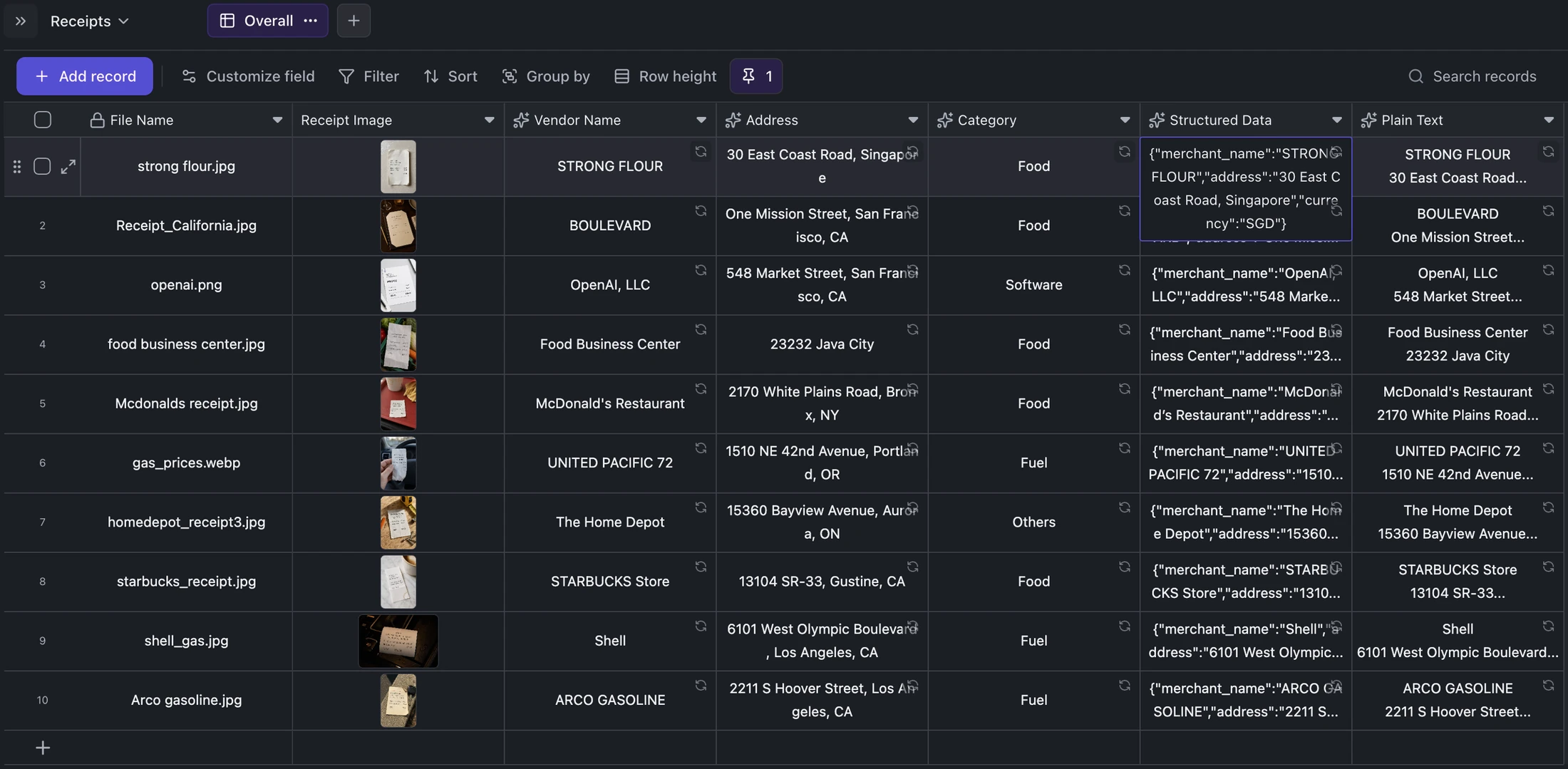
Keep receipt images beside extracted vendor, address, category, structured JSON, and plain OCR text for correction and export.
Best for
Finance operations, bookkeepers, assistants, and small businesses organizing receipt archives.
Use it when
You need one reviewable row per source image and want extracted data to remain traceable to the original receipt.
Choose another system when
Do not send unreviewed OCR values directly into accounting, reimbursement, or tax systems.
Receipt OCR Table Template
Real fields and representative values
| File | Vendor | Address | Category | Currency |
|---|---|---|---|---|
| strong flour.jpg | STRONG FLOUR | 30 East Coast Road, Singapore | Food | SGD |
| Receipt_California.jpg | BOULEVARD | One Mission Street, San Francisco | Food | USD |
A visible structure you can inspect.
These are the real fields, nodes, or visual elements that make the template useful. Rename them when your process differs; do not preserve a field only because it was bundled.
01
File Name and Receipt Image — preserve source identity and evidence.
02
Vendor Name, Address, and Category — support filtering and review.
03
Structured Data — keep machine-readable extracted values.
04
Plain Text — retain the full OCR result for checking.
From starter to reviewed workspace
- 1
Open the starter or add one row per receipt image.
- 2
Attach each source only once and keep a stable file name.
- 3
Run the configured extraction fields for the selected row.
- 4
Compare vendor, currency, address, totals, and dates with the image.
- 5
Correct incomplete values before filtering or exporting the records.
Product evidence
What is already real
- The bundled starter contains 10 records and 10 receipt images.
- The source attachment remains visible beside every extracted value.
- Structured and plain-text outputs are stored separately.
Limits
What this template does not promise
- Low-resolution, folded, or multilingual receipts may need correction.
- The starter demonstrates extraction structure, not accounting compliance.
- A malformed receipt should remain a reviewable incomplete row.
Completed artifact
Ten-Receipt OCR Review Example
Review a completed ten-record receipt archive where each source image remains attached to structured and plain-text extraction.
More table templates
Table template
Task Tracker Table Template
Track delivery work with owners, progress, dates, priority flags, status updates, and notes in one editable Kition table.
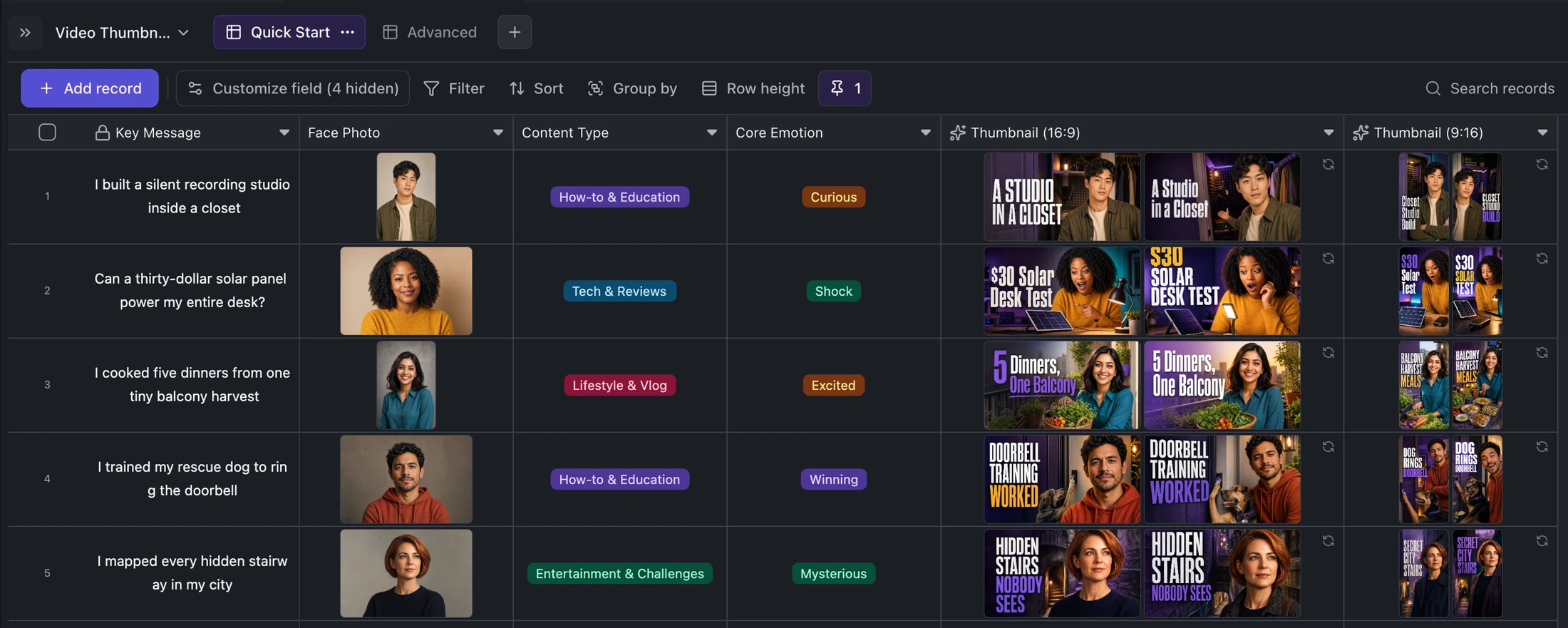
Table template
YouTube and TikTok Thumbnail Generator Template
Turn one content idea and portrait into concise titles plus two original landscape and two vertical thumbnail variants per record.
Table template
Email Inbox Sync Table Template
Import IMAP messages into a typed table, save each full message as local Markdown, and keep later sync runs incremental.
Ready when you are.
Kition is a desktop AI workspace for connected documents, structured tables, editable designs, whiteboards, visual workflows, and reviewable AI agents.