
Batch Product Designer Table Template
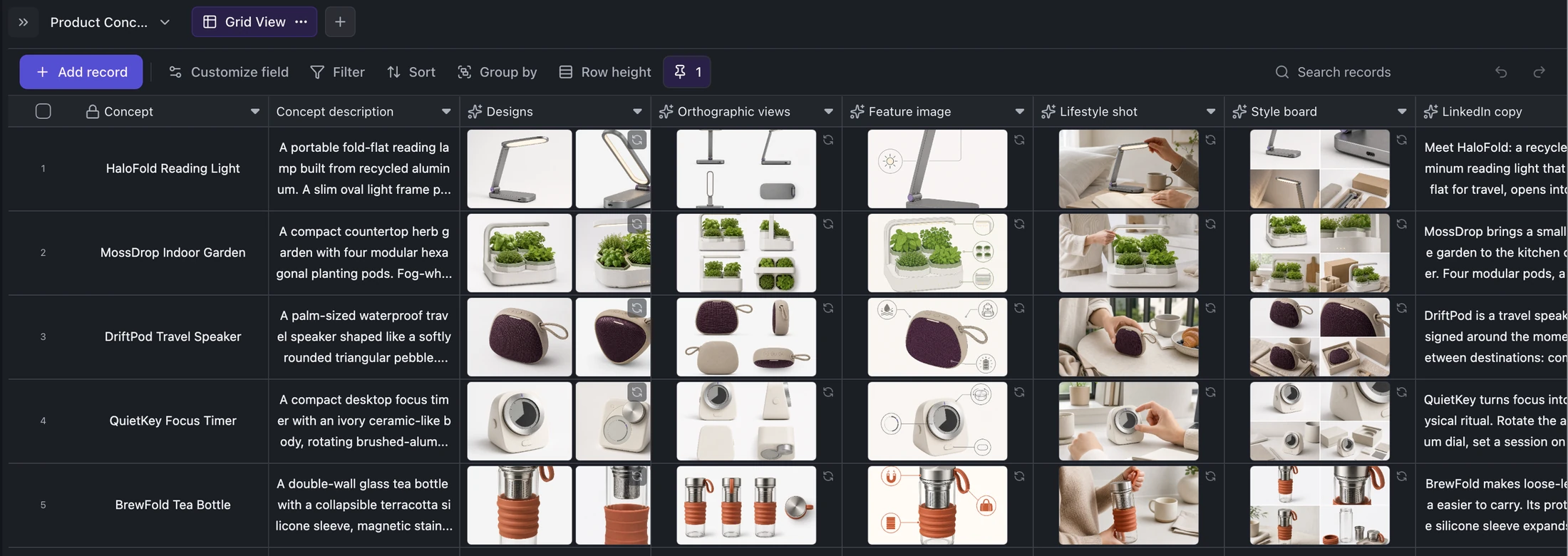
Turn structured product concepts into connected design candidates, orthographic views, feature images, lifestyle shots, style boards, and launch copy.
Best for
Product designers, ecommerce teams, creative studios, and founders testing multiple product directions.
Use it when
You want downstream visual and copy assets to remain traceable to the same source concept instead of scattering across prompt histories.
Choose another system when
Do not treat generated images as manufacturing specifications, safety evidence, or proof of design feasibility.
Batch Product Designer Table Template
Real fields and representative values
| Concept | Designs | Orthographic | Lifestyle | Copy |
|---|---|---|---|---|
| HaloFold Reading Light | 2 images | 1 view set | 1 image | LinkedIn + X |
| MossDrop Indoor Garden | 2 images | 1 view set | 1 image | LinkedIn + X |
A visible structure you can inspect.
These are the real fields, nodes, or visual elements that make the template useful. Rename them when your process differs; do not preserve a field only because it was bundled.
01
Concept and Description — define the product direction and constraints.
02
Designs and Orthographic views — store initial candidates and consistent angles.
03
Feature image, Lifestyle shot, and Style board — create launch contexts.
04
LinkedIn and Twitter copy — generate channel-specific language beside the brief.
From starter to reviewed workspace
- 1
Select a complete product concept and review its constraints.
- 2
Run design candidates before dependent image fields.
- 3
Check continuity across orthographic, feature, lifestyle, and style-board outputs.
- 4
Edit generated launch copy so it reflects verified product facts.
- 5
Keep rejected and approved assets distinguishable.
Product evidence
What is already real
- The starter includes 5 concept records and 30 generated images.
- Each record connects six visual output types and two copy outputs to one brief.
- HaloFold and MossDrop provide complete, inspectable example rows.
Limits
What this template does not promise
- Images are concept assets, not engineering drawings.
- Claims in generated copy require product and legal review.
- Regeneration can change visual identity across dependent fields.
Completed artifact
HaloFold Product Asset Pipeline Example
Trace one fold-flat reading-light brief through design candidates, orthographic views, feature and lifestyle imagery, a style board, and launch copy.
More table templates
Table template
Task Tracker Table Template
Track delivery work with owners, progress, dates, priority flags, status updates, and notes in one editable Kition table.
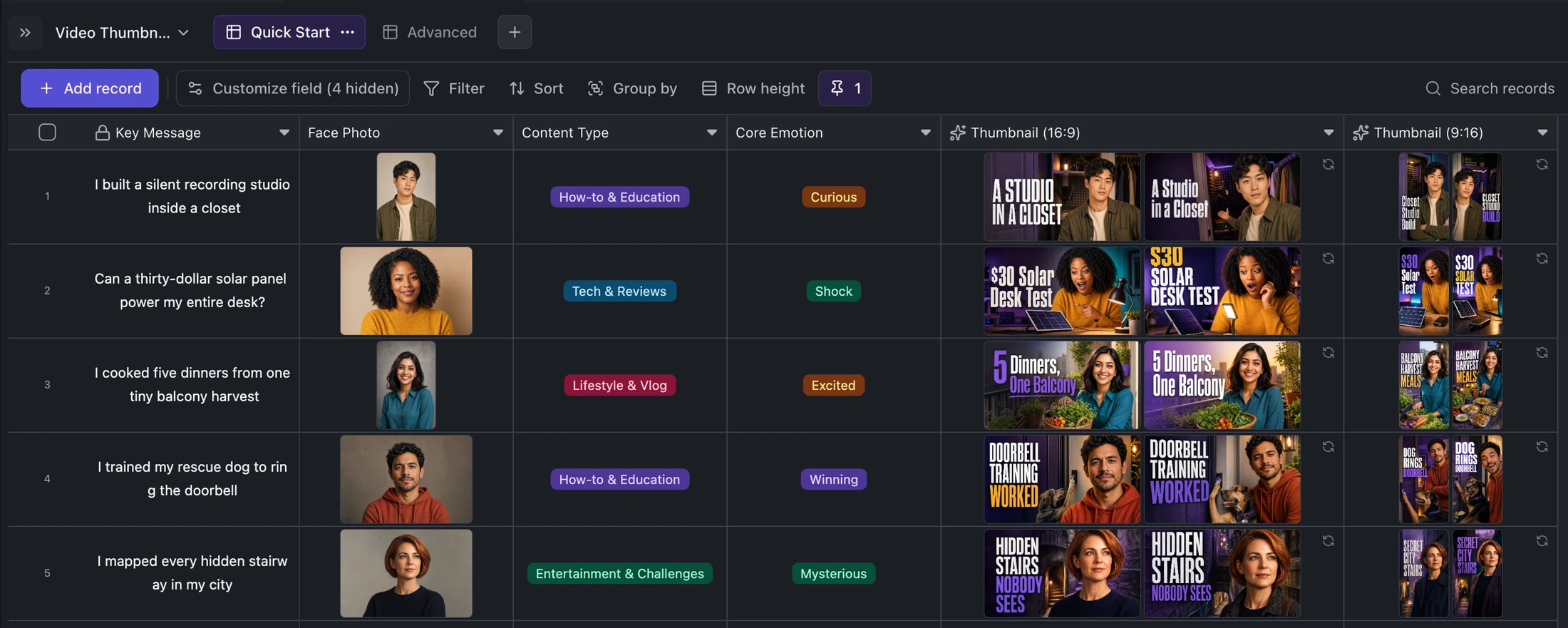
Table template
YouTube and TikTok Thumbnail Generator Template
Turn one content idea and portrait into concise titles plus two original landscape and two vertical thumbnail variants per record.
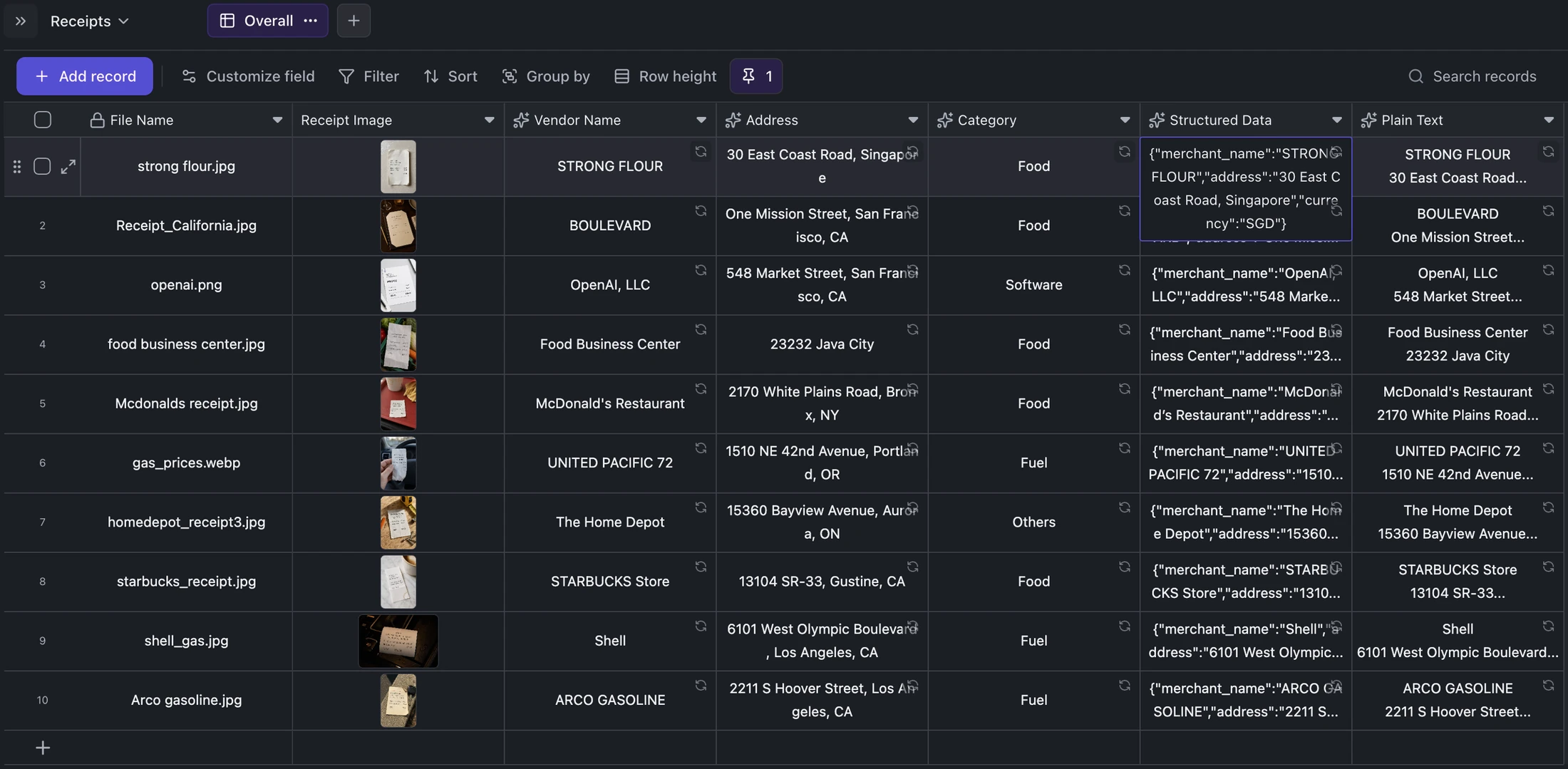
Table template
Receipt OCR Table Template
Keep receipt images beside extracted vendor, address, category, structured JSON, and plain OCR text for correction and export.
Ready when you are.
Kition is a desktop AI workspace for connected documents, structured tables, editable designs, whiteboards, visual workflows, and reviewable AI agents.