Pop Art Posterize Quad
A bonsai study repeated four times as smart objects, posterized and recolored per panel with masked Gradient Map layers.
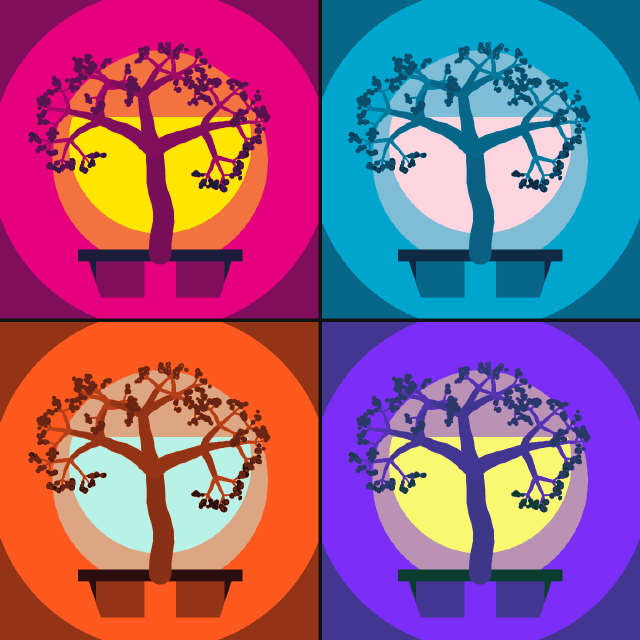
The motif is painted once in the top-left panel: a radial glow, a striped sun, a rendered bonsai and its pot. Converted to a smart object, it is duplicated and moved into the other three panels. One Posterize layer flattens the tones into bands, and four Gradient Map layers, each masked to its panel by a selection, give each copy its own three-ink palette, screen-print style.
Steps
36 commandssteps:
- { command: shape.create, params: { kind: rect, rect: [0, 0, 700, 700], fill: { gradient: { stops: [[0, "#f2f2f2"], [1, "#3a3a3a"]], style: radial, scale: 140 } }, name: Glow } }
- { command: shape.create, params: { kind: ellipse, rect: [150, 110, 400, 400], fill: { gradient: { stops: [[0, "#ffffff"], [1, "#b0b0b0"]], angle: 90 } }, name: Sun } }
- { command: shape.create, params: { kind: path, name: Pot, fill: { gradient: { stops: [[0, "#2a2a2a"], [0.5, "#777777"], [1, "#2a2a2a"]], angle: 0 } }, path: { subpaths: [ { knots: [[190, 560], [510, 560], [480, 650], [220, 650]] } ] } } }
- { command: shape.create, params: { kind: rect, rect: [170, 545, 360, 26], fill: "#1e1e1e", name: Pot Rim } }
- { command: layer.new.layer, params: { name: Bonsai }, as: bonsai }
- { command: filter.render.tree, params: { baseTreeType: 20, x: 0.25, y: 0.395, size: 0.36, seed: 6 } }
- { command: select.allLayers }
- { command: layer.smartObjects.convertToSmartObject, as: motif }
- { command: layer.renameLayer, params: { layer: $motif.layer, name: Motif TL } }
- { command: layer.duplicate, params: { layer: $motif.layer, name: Motif TR }, as: tr }
- { command: edit.transform, params: { layer: $tr.layer, matrix: [1, 0, 0, 1, 700, 0] } }
- { command: layer.duplicate, params: { layer: $motif.layer, name: Motif BL }, as: bl }
- { command: edit.transform, params: { layer: $bl.layer, matrix: [1, 0, 0, 1, 0, 700] } }
- { command: layer.duplicate, params: { layer: $motif.layer, name: Motif BR }, as: br }
- { command: edit.transform, params: { layer: $br.layer, matrix: [1, 0, 0, 1, 700, 700] } }
- { command: layer.selectTop }
- { command: layer.newAdjustmentLayer.posterize, params: { levels: 5 }, as: poster }
- { command: layer.renameLayer, params: { layer: $poster.layer, name: Posterize } }
- { command: select.rect, params: { x: 0, y: 0, width: 700, height: 700 } }
- { command: layer.newAdjustmentLayer.gradientMap, params: { stops: [[0, "#1b1b3a"], [0.5, "#e6007e"], [1, "#ffe600"]] }, as: mapTL }
- { command: layer.renameLayer, params: { layer: $mapTL.layer, name: Magenta & Yellow } }
- { command: select.rect, params: { x: 700, y: 0, width: 700, height: 700 } }
- { command: layer.newAdjustmentLayer.gradientMap, params: { stops: [[0, "#102a43"], [0.5, "#00a5cf"], [1, "#ffd6e0"]] }, as: mapTR }
- { command: layer.renameLayer, params: { layer: $mapTR.layer, name: Cyan & Blush } }
- { command: select.rect, params: { x: 0, y: 700, width: 700, height: 700 } }
- { command: layer.newAdjustmentLayer.gradientMap, params: { stops: [[0, "#2b0f0e"], [0.5, "#ff5a1f"], [1, "#b8f2e6"]] }, as: mapBL }
- { command: layer.renameLayer, params: { layer: $mapBL.layer, name: Orange & Mint } }
- { command: select.rect, params: { x: 700, y: 700, width: 700, height: 700 } }
- { command: layer.newAdjustmentLayer.gradientMap, params: { stops: [[0, "#0b3d2e"], [0.5, "#7b2ff7"], [1, "#f9f871"]] }, as: mapBR }
- { command: layer.renameLayer, params: { layer: $mapBR.layer, name: Violet & Lemon } }
- { command: select.deselect }
- { command: shape.create, params: { kind: rect, rect: [696, 0, 8, 1400], fill: "#111111", name: Gutter V }, as: gutter }
- { command: shape.create, params: { kind: rect, rect: [0, 696, 1400, 8], fill: "#111111", addTo: $gutter.layer, op: combine } }
- { command: layer.renameLayer, params: { layer: $gutter.layer, name: Gutters } }
- { command: document.sampleColor, params: { x: 240, y: 450, size: 5 }, as: sunTL }
- { command: document.sampleColor, params: { x: 940, y: 450, size: 5 }, as: sunTR }Checks
13 checks on every buildinspect.layers= {"count":11,"all":{"kind":{"oneOf":["Shape","Adjustment","Smart Object","Pixel"]}}}inspect.layers.1= {"name":"Violet & Lemon","kind":"Adjustment","adjustmentKind":"gradientMap","hasMask":true}inspect.layers.4= {"name":"Magenta & Yellow","kind":"Adjustment","adjustmentKind":"gradientMap","adjustmentParams":{"stops":[[0,"#1b1b3a"],[0.5,"#e6007e"],[1,"#ffe600"]]}}inspect.layers.5= {"name":"Posterize","kind":"Adjustment","adjustmentKind":"posterize","adjustmentParams":{"levels":5}}inspect.layers.6= {"name":"Motif TR","kind":"Smart Object","bounds":[700,0,700,700]}inspect.layers.9= {"name":"Motif TL","kind":"Smart Object","bounds":[0,0,700,700]}results.sunTL.0= {"approx":1,"tol":0.01}results.sunTL.1= {"approx":0.902,"tol":0.01}results.sunTL.2= {"max":0.01}results.sunTR.0= {"min":0.95}results.sunTR.2= {"min":0.8}- Diagnostics: none, the kit's own check finds nothing wrong
- The saved document opens again, and its thumbnail matches
thumb.pngwithin the render tolerance
Related
More Photo samples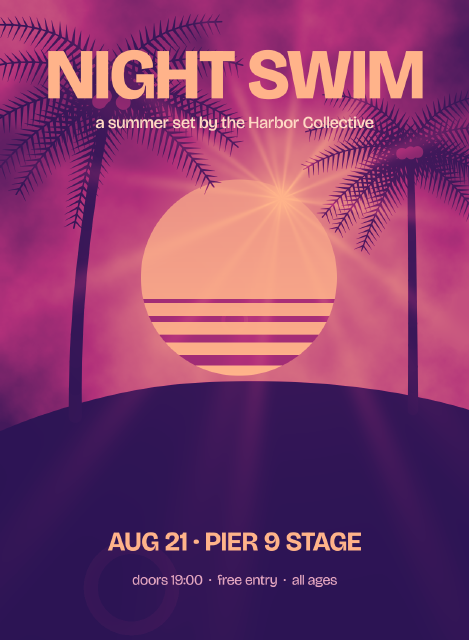
Duotone Gig Poster
A palm-and-sun scene mapped to a two-color indigo and coral duotone with a Gradient Map layer, under bold gig typography.
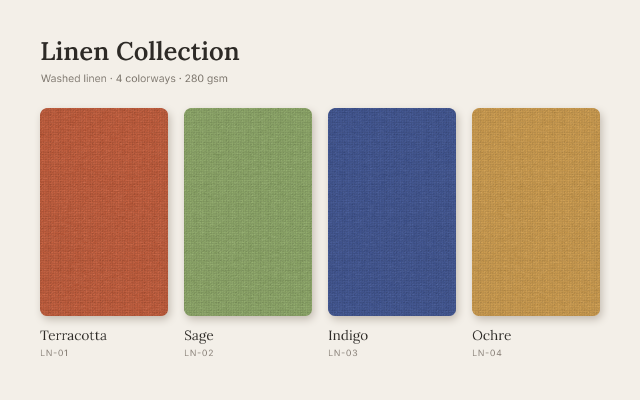
Linen Colorway Swatches
One woven texture shown in four colorways, each made by a Hue/Saturation layer masked to its own swatch.
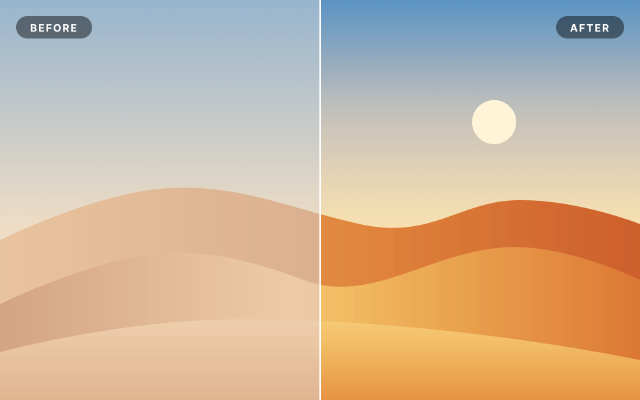
Levels & Curves Before / After
A hazy desert scene corrected with Levels, Curves and Vibrance layers masked to the right half, for a split comparison.
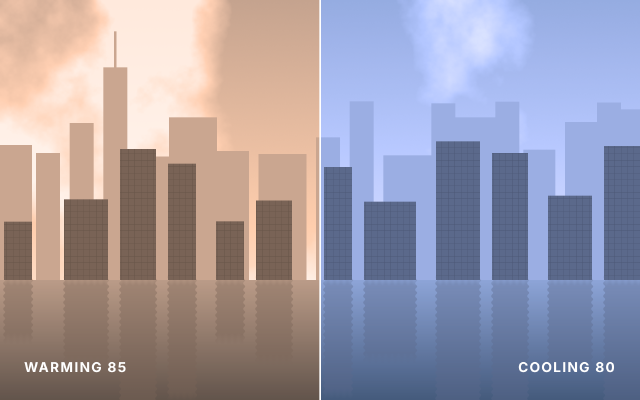
Warm vs Cool Photo Filter
One riverside skyline shown twice, through a warming 85 filter on the left and a cooling 80 filter on the right.