Levels & Curves Before / After
A hazy desert scene corrected with Levels, Curves and Vibrance layers masked to the right half, for a split comparison.
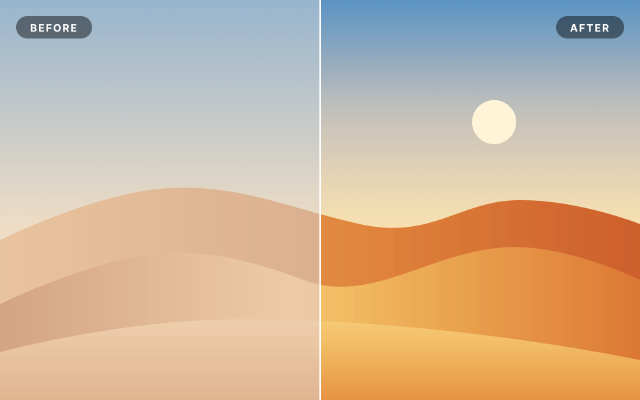
The left half is the flat original: dunes under a pale haze, with milky blacks and dull color. The right half shows the fix as three adjustment layers made with a rectangular selection, so each carries a layer mask over that half only: Levels sets the black and white points, Curves adds an S-shaped contrast and a warmer red channel, and Vibrance brings the color back. A divider and two labels finish the comparison.
Steps
23 commandssteps:
- { command: gradient.fill.create, params: { from: [0, 0], to: [0, 560], stops: [[0, "#5d93c4"], [1, "#f1d6b4"]] }, as: sky }
- { command: layer.renameLayer, params: { layer: $sky.layer, name: Sky } }
- { command: shape.create, params: { kind: ellipse, rect: [1180, 250, 110, 110], fill: "#fff3d6", name: Sun } }
- { command: shape.create, params: { kind: path, name: Far Dune, fill: { gradient: { stops: [[0, "#e8ab72"], [1, "#b8693a"]], angle: 0 } }, path: { subpaths: [ { knots: [[0, 600], {anchor: [420, 470], in: [240, 480], out: [600, 460], smooth: true}, {anchor: [900, 560], in: [720, 520], out: [1080, 600], smooth: true}, {anchor: [1300, 500], in: [1150, 500], out: [1450, 500], smooth: true}, [1600, 560], [1600, 1000], [0, 1000]] } ] } } }
- { command: shape.create, params: { kind: path, name: Mid Dune, fill: { gradient: { stops: [[0, "#c47544"], [0.45, "#f0b97f"], [1, "#c97c47"]], angle: 0 } }, path: { subpaths: [ { knots: [[0, 760], {anchor: [300, 650], in: [140, 690], out: [460, 610], smooth: true}, {anchor: [760, 700], in: [600, 640], out: [920, 760], smooth: true}, {anchor: [1240, 620], in: [1060, 640], out: [1400, 600], smooth: true}, [1600, 700], [1600, 1000], [0, 1000]] } ] } } }
- { command: shape.create, params: { kind: path, name: Near Dune, fill: { gradient: { stops: [[0, "#f3c08a"], [1, "#d99158"]], angle: -90 } }, path: { subpaths: [ { knots: [[0, 880], {anchor: [520, 800], in: [260, 810], out: [780, 790], smooth: true}, {anchor: [1600, 900], in: [1200, 820], out: [1600, 900]}, [1600, 1000], [0, 1000]] } ] } } }
- { command: layer.newFillLayer.solidColor, params: { color: "#e9e4dc" }, as: haze }
- { command: layer.setProps, params: { layer: $haze.layer, name: Haze, opacity: 0.42 } }
- { command: select.rect, params: { x: 800, y: 0, width: 800, height: 1000 } }
- { command: layer.newAdjustmentLayer.levels, params: { inBlack: 92, gamma: 0.95, inWhite: 246 }, as: levels }
- { command: layer.renameLayer, params: { layer: $levels.layer, name: Set Black & White Points } }
- { command: layer.newAdjustmentLayer.curves, params: { points: [[0, 0], [70, 52], [180, 196], [255, 255]], red: [[0, 0], [128, 140], [255, 255]], blue: [[0, 0], [128, 120], [255, 255]] }, as: curves }
- { command: layer.renameLayer, params: { layer: $curves.layer, name: Contrast & Warmth } }
- { command: layer.newAdjustmentLayer.vibrance, params: { vibrance: 30, saturation: -5 }, as: vibrance }
- { command: layer.renameLayer, params: { layer: $vibrance.layer, name: Vibrance } }
- { command: select.deselect }
- { command: shape.create, params: { kind: rect, rect: [798, 0, 4, 1000], fill: "#ffffff", name: Divider } }
- { command: shape.create, params: { kind: roundedRect, rect: [40, 40, 190, 56], radii: 28, fill: [0, 0, 0, 0.45], name: Before Pill } }
- { command: type.create, params: { x: 135, y: 79, text: BEFORE, font: Inter, size: 26, weight: 700, tracking: 120, color: "#ffffff", align: center, name: Before Label } }
- { command: shape.create, params: { kind: roundedRect, rect: [1390, 40, 170, 56], radii: 28, fill: [0, 0, 0, 0.45], name: After Pill } }
- { command: type.create, params: { x: 1475, y: 79, text: AFTER, font: Inter, size: 26, weight: 700, tracking: 120, color: "#ffffff", align: center, name: After Label } }
- { command: document.sampleColor, params: { x: 400, y: 900, size: 11 }, as: beforeSand }
- { command: document.sampleColor, params: { x: 1200, y: 900, size: 11 }, as: afterSand }Checks
9 checks on every buildinspect.layers= {"count":15}inspect.layers.5= {"name":"Vibrance","kind":"Adjustment","adjustmentKind":"vibrance","hasMask":true}inspect.layers.6= {"name":"Contrast & Warmth","kind":"Adjustment","adjustmentKind":"curves","hasMask":true}inspect.layers.7= {"name":"Set Black & White Points","kind":"Adjustment","adjustmentKind":"levels","adjustmentParams":{"inBlack":92,"inWhite":246}}inspect.layers.8= {"name":"Haze","kind":"Fill","opacity":{"approx":0.42,"tol":0.01}}results.beforeSand.2= {"min":0.55}results.afterSand.2= {"max":0.42}- Diagnostics: none, the kit's own check finds nothing wrong
- The saved document opens again, and its thumbnail matches
thumb.pngwithin the render tolerance
Related
More Photo samples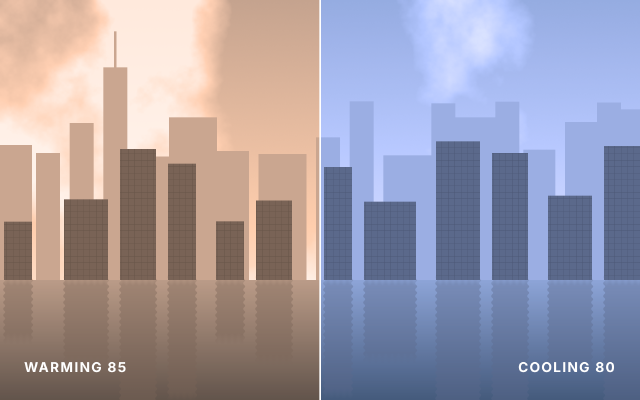
Warm vs Cool Photo Filter
One riverside skyline shown twice, through a warming 85 filter on the left and a cooling 80 filter on the right.
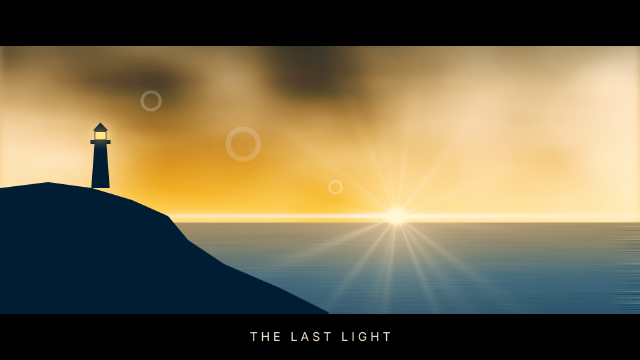
Cinematic Teal & Orange Grade
A dusk seascape graded like a film still with a stack of curves, color balance, selective color and vibrance layers.
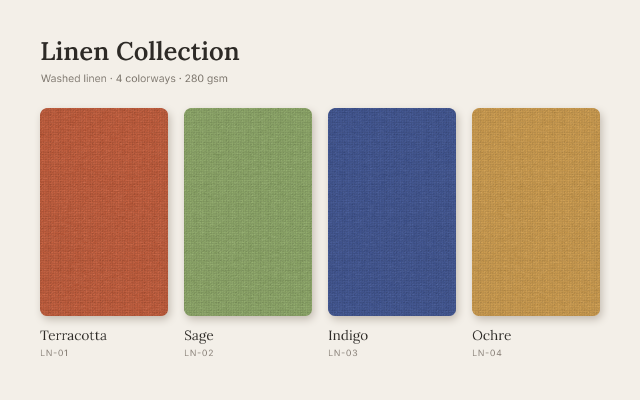
Linen Colorway Swatches
One woven texture shown in four colorways, each made by a Hue/Saturation layer masked to its own swatch.
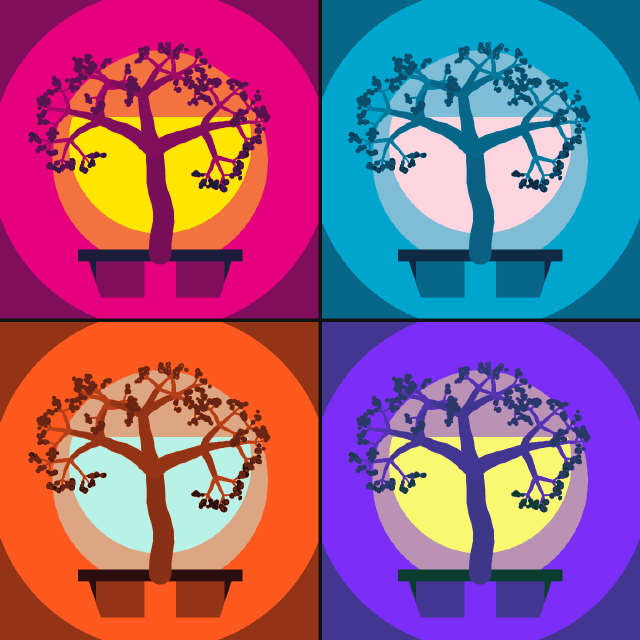
Pop Art Posterize Quad
A bonsai study repeated four times as smart objects, posterized and recolored per panel with masked Gradient Map layers.