Linen Colorway Swatches
One woven texture shown in four colorways, each made by a Hue/Saturation layer masked to its own swatch.
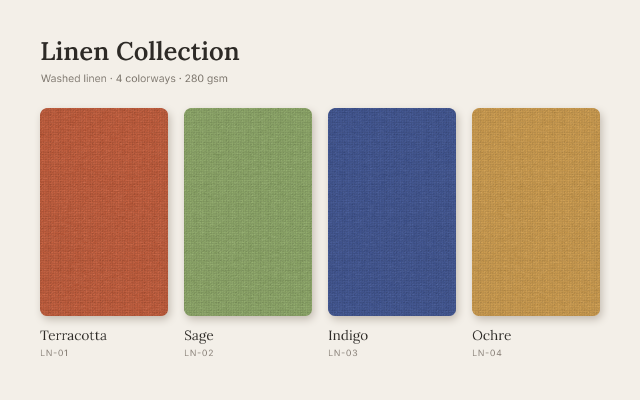
A product sheet for a linen line. The fabric is drawn once: a terracotta fill with gaussian noise, a short motion blur for the weave direction and the Texturizer's canvas relief, clipped into four rounded swatch shapes. Three Hue/Saturation adjustment layers, each made with one swatch selected and clipped to the swatches, turn the copies into sage, indigo and ochre while the first keeps the original color; change a layer's hue to try another colorway without touching the texture.
Steps
34 commandssteps:
- { command: edit.fill, params: { contents: color, color: "#f3efe8" } }
- { command: type.create, params: { x: 100, y: 150, text: "Linen Collection", font: Lora, size: 64, weight: 600, color: "#2d2a26", name: Title } }
- { command: type.create, params: { x: 102, y: 205, text: "Washed linen · 4 colorways · 280 gsm", font: Inter, size: 26, color: "#7b746b", name: Subtitle } }
- { command: shape.create, params: { kind: roundedRect, rect: [100, 270, 320, 520], radii: 18, fill: "#000000", name: Swatches }, as: swatches }
- { command: shape.create, params: { kind: roundedRect, rect: [460, 270, 320, 520], radii: 18, fill: "#000000", addTo: $swatches.layer, op: combine } }
- { command: shape.create, params: { kind: roundedRect, rect: [820, 270, 320, 520], radii: 18, fill: "#000000", addTo: $swatches.layer, op: combine } }
- { command: shape.create, params: { kind: roundedRect, rect: [1180, 270, 320, 520], radii: 18, fill: "#000000", addTo: $swatches.layer, op: combine } }
- { command: layer.layerStyle.dropShadow, params: { layer: $swatches.layer, color: "#5a4a3a", opacity: 30, distance: 10, size: 24, angle: 90 } }
- { command: layer.new.layer, params: { name: Linen Texture }, as: linen }
- { command: edit.fill, params: { contents: color, color: "#b65a3c" } }
- { command: filter.noise.addNoise, params: { amount: 18, distribution: gaussian, monochromatic: true, seed: 12 } }
- { command: filter.blur.motionBlur, params: { angle: 0, distance: 6 } }
- { command: filter.gallery.texturizer, params: { texture: canvas, scaling: 120, relief: 8, light: topLeft } }
- { command: layer.createClippingMask, params: { layer: $linen.layer } }
- { command: select.rect, params: { x: 460, y: 270, width: 320, height: 520 } }
- { command: layer.newAdjustmentLayer.hueSaturation, params: { hue: 70, saturation: -50, lightness: 6 }, as: sage }
- { command: layer.setProps, params: { layer: $sage.layer, name: Sage, clipped: true } }
- { command: select.rect, params: { x: 820, y: 270, width: 320, height: 520 } }
- { command: layer.newAdjustmentLayer.hueSaturation, params: { hue: -150, saturation: -28, lightness: -16 }, as: indigo }
- { command: layer.setProps, params: { layer: $indigo.layer, name: Indigo, clipped: true } }
- { command: select.rect, params: { x: 1180, y: 270, width: 320, height: 520 } }
- { command: layer.newAdjustmentLayer.hueSaturation, params: { hue: 22, saturation: 5, lightness: 10 }, as: ochre }
- { command: layer.setProps, params: { layer: $ochre.layer, name: Ochre, clipped: true } }
- { command: select.deselect }
- { command: type.create, params: { x: 100, y: 850, text: Terracotta, font: Lora, size: 34, color: "#2d2a26", name: Name 1 } }
- { command: type.create, params: { x: 100, y: 890, text: "LN-01", font: Inter, size: 22, tracking: 80, color: "#8a8279", name: Code 1 } }
- { command: type.create, params: { x: 460, y: 850, text: Sage, font: Lora, size: 34, color: "#2d2a26", name: Name 2 } }
- { command: type.create, params: { x: 460, y: 890, text: "LN-02", font: Inter, size: 22, tracking: 80, color: "#8a8279", name: Code 2 } }
- { command: type.create, params: { x: 820, y: 850, text: Indigo, font: Lora, size: 34, color: "#2d2a26", name: Name 3 } }
- { command: type.create, params: { x: 820, y: 890, text: "LN-03", font: Inter, size: 22, tracking: 80, color: "#8a8279", name: Code 3 } }
- { command: type.create, params: { x: 1180, y: 850, text: Ochre, font: Lora, size: 34, color: "#2d2a26", name: Name 4 } }
- { command: type.create, params: { x: 1180, y: 890, text: "LN-04", font: Inter, size: 22, tracking: 80, color: "#8a8279", name: Code 4 } }
- { command: document.sampleColor, params: { x: 260, y: 530, size: 31 }, as: terracotta }
- { command: document.sampleColor, params: { x: 980, y: 530, size: 31 }, as: indigoSample }Checks
12 checks on every buildinspect.layers= {"count":16}inspect.layers.8= {"name":"Ochre","kind":"Adjustment","adjustmentKind":"hueSaturation","clipped":true,"hasMask":true,"adjustmentParams":{"hue":22}}inspect.layers.9= {"name":"Indigo","kind":"Adjustment","adjustmentKind":"hueSaturation","clipped":true,"adjustmentParams":{"hue":-150}}inspect.layers.10= {"name":"Sage","kind":"Adjustment","adjustmentKind":"hueSaturation","clipped":true,"adjustmentParams":{"hue":70}}inspect.layers.11= {"name":"Linen Texture","kind":"Pixel","clipped":true}inspect.layers.12= {"name":"Swatches","kind":"Shape","clipped":false,"effects":{"items":{"any":{"kind":"Drop Shadow"}}}}results.terracotta.0= {"min":0.6}results.terracotta.2= {"max":0.3}results.indigoSample.0= {"max":0.35}results.indigoSample.2= {"min":0.45}- Diagnostics: none, the kit's own check finds nothing wrong
- The saved document opens again, and its thumbnail matches
thumb.pngwithin the render tolerance
Related
More Photo samples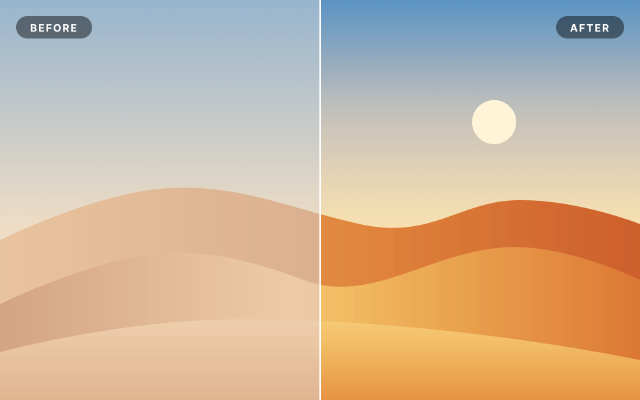
Levels & Curves Before / After
A hazy desert scene corrected with Levels, Curves and Vibrance layers masked to the right half, for a split comparison.
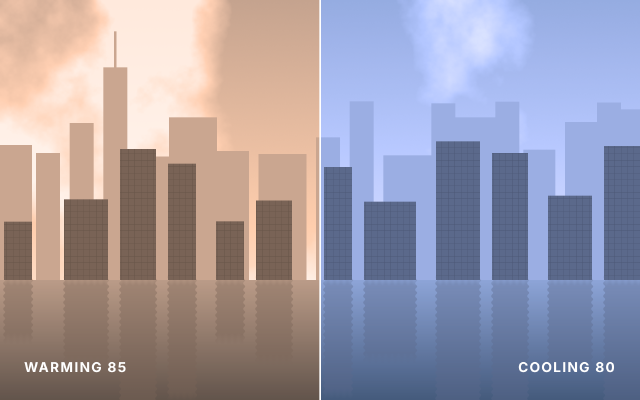
Warm vs Cool Photo Filter
One riverside skyline shown twice, through a warming 85 filter on the left and a cooling 80 filter on the right.
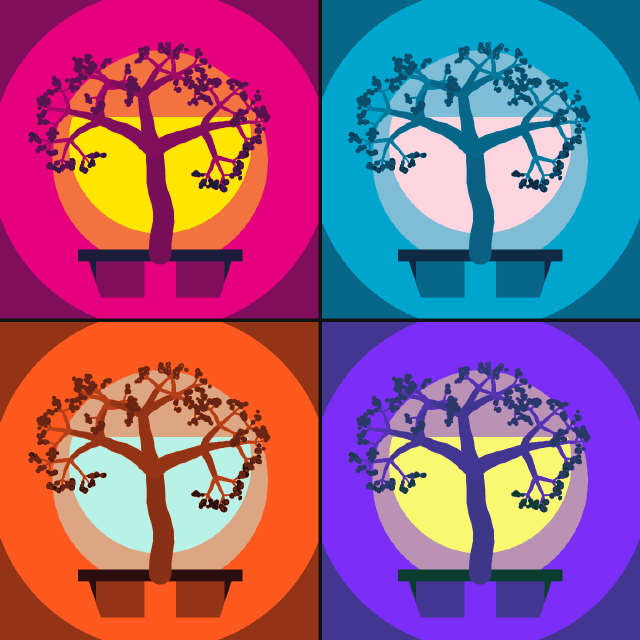
Pop Art Posterize Quad
A bonsai study repeated four times as smart objects, posterized and recolored per panel with masked Gradient Map layers.
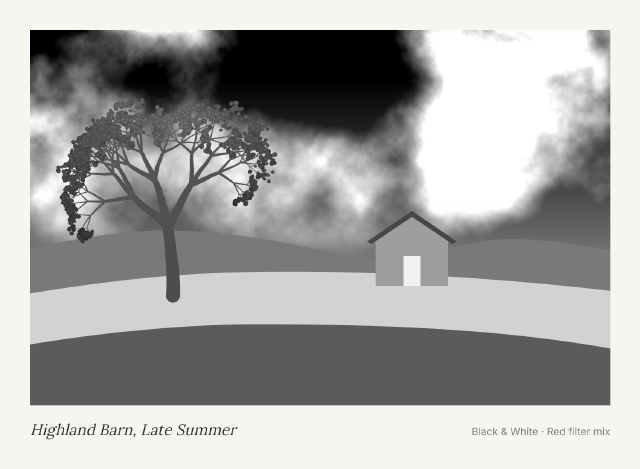
Black & White Red Filter Print
A colorful farm landscape turned into a dramatic monochrome print with a Black & White layer mixed like a red lens filter.