Duotone Gig Poster
A palm-and-sun scene mapped to a two-color indigo and coral duotone with a Gradient Map layer, under bold gig typography.
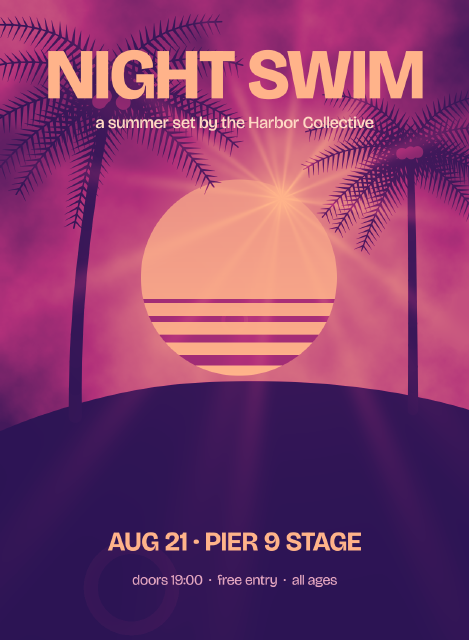
The picture underneath is built in grays: rendered clouds, a radial sun, a lens flare in Screen mode and two rendered palm trees on a dark hill; the sun's stripes are clipped to the sun. A single Gradient Map adjustment layer maps its luminance from deep indigo through magenta to warm coral, which is all a duotone is. The type sits above the map, so it keeps its own colors, picked from the same two ends.
Steps
28 commandssteps:
- { command: layer.new.layer, params: { name: Clouds }, as: clouds }
- { command: tools.setColors, params: { foreground: "#202020", background: "#9a9a9a" } }
- { command: filter.render.clouds, params: { seed: 5 } }
- { command: gradient.fill.create, params: { from: [560, 640], to: [560, 1160], style: radial, stops: [[0, "#ffffff"], [1, "#ffffff"]], transparency: [[0, 85], [1, 0]] }, as: glow }
- { command: layer.renameLayer, params: { layer: $glow.layer, name: Sky Glow } }
- { command: shape.create, params: { kind: ellipse, rect: [330, 420, 460, 460], fill: { gradient: { stops: [[0, "#ffffff"], [1, "#d8d8d8"]], angle: 90 } }, name: Sun }, as: sun }
- { command: shape.create, params: { kind: rect, rect: [330, 700, 460, 10], fill: "#6a6a6a", name: Sun Stripe 1 }, as: stripe1 }
- { command: layer.createClippingMask, params: { layer: $stripe1.layer } }
- { command: shape.create, params: { kind: rect, rect: [330, 740, 460, 14], fill: "#6a6a6a", name: Sun Stripe 2 }, as: stripe2 }
- { command: layer.createClippingMask, params: { layer: $stripe2.layer } }
- { command: shape.create, params: { kind: rect, rect: [330, 784, 460, 18], fill: "#6a6a6a", name: Sun Stripe 3 }, as: stripe3 }
- { command: layer.createClippingMask, params: { layer: $stripe3.layer } }
- { command: shape.create, params: { kind: rect, rect: [330, 832, 460, 24], fill: "#6a6a6a", name: Sun Stripe 4 }, as: stripe4 }
- { command: layer.createClippingMask, params: { layer: $stripe4.layer } }
- { command: shape.create, params: { kind: path, name: Hill, fill: "#0c0c0c", path: { subpaths: [ { knots: [[0, 1010], {anchor: [420, 900], in: [200, 920], out: [640, 880], smooth: true}, {anchor: [1100, 960], in: [900, 900], out: [1100, 960]}, [1100, 1500], [0, 1500]] } ] } } }
- { command: layer.new.layer, params: { name: Palms }, as: palms }
- { command: filter.render.tree, params: { baseTreeType: 31, x: 0.16, y: 0.65, size: 0.58, seed: 4, leavesColor: "#101010", customBranchColor: true, branchesColor: "#101010", flatShading: true } }
- { command: filter.render.tree, params: { baseTreeType: 31, x: 0.88, y: 0.64, size: 0.46, seed: 8, leavesColor: "#101010", customBranchColor: true, branchesColor: "#101010", flatShading: true } }
- { command: layer.new.layer, params: { name: Flare }, as: flare }
- { command: edit.fill, params: { contents: color, color: "#000000" } }
- { command: filter.render.lensFlare, params: { centerX: 0.6, centerY: 0.31, brightness: 75, lens: prime105 } }
- { command: layer.setProps, params: { layer: $flare.layer, blend: Screen } }
- { command: layer.newAdjustmentLayer.gradientMap, params: { stops: [[0, "#1d1150"], [0.5, "#b2307a"], [1, "#ffb38a"]] }, as: map }
- { command: layer.renameLayer, params: { layer: $map.layer, name: Duotone Map } }
- { command: type.create, params: { x: 550, y: 230, text: NIGHT SWIM, font: Bricolage Grotesque, size: 168, weight: 800, tracking: -20, color: "#ffb38a", align: center, name: Headline } }
- { command: type.create, params: { x: 550, y: 300, text: "a summer set by the Harbor Collective", font: Bricolage Grotesque, size: 40, weight: 500, color: "#ffd9c4", align: center, name: Tagline } }
- { command: type.create, params: { x: 550, y: 1290, text: "AUG 21 · PIER 9 STAGE", font: Bricolage Grotesque, size: 64, weight: 700, color: "#ffb38a", align: center, name: Date } }
- { command: type.create, params: { x: 550, y: 1370, text: "doors 19:00 · free entry · all ages", font: Bricolage Grotesque, size: 34, weight: 400, color: "#e7a8c3", align: center, name: Details } }Checks
8 checks on every buildinspect.layers= {"count":16}inspect.layers.3= {"name":"Headline","kind":"Type","text":{"text":"NIGHT SWIM"}}inspect.layers.4= {"name":"Duotone Map","kind":"Adjustment","adjustmentKind":"gradientMap","adjustmentParams":{"stops":[[0,"#1d1150"],[0.5,"#b2307a"],[1,"#ffb38a"]]}}inspect.layers.5= {"name":"Flare","blend":"Screen"}inspect.layers.8= {"name":"Sun Stripe 4","clipped":true}inspect.layers.12= {"name":"Sun","kind":"Shape","clipped":false}- Diagnostics: none, the kit's own check finds nothing wrong
- The saved document opens again, and its thumbnail matches
thumb.pngwithin the render tolerance
Related
More Photo samples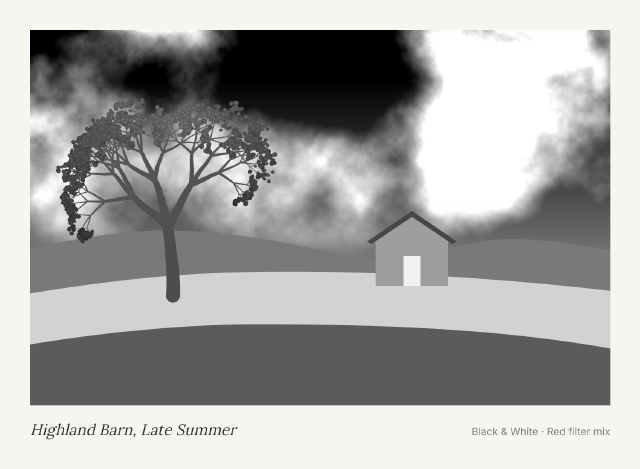
Black & White Red Filter Print
A colorful farm landscape turned into a dramatic monochrome print with a Black & White layer mixed like a red lens filter.
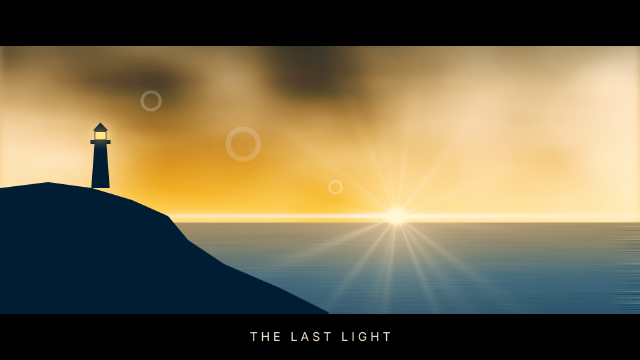
Cinematic Teal & Orange Grade
A dusk seascape graded like a film still with a stack of curves, color balance, selective color and vibrance layers.
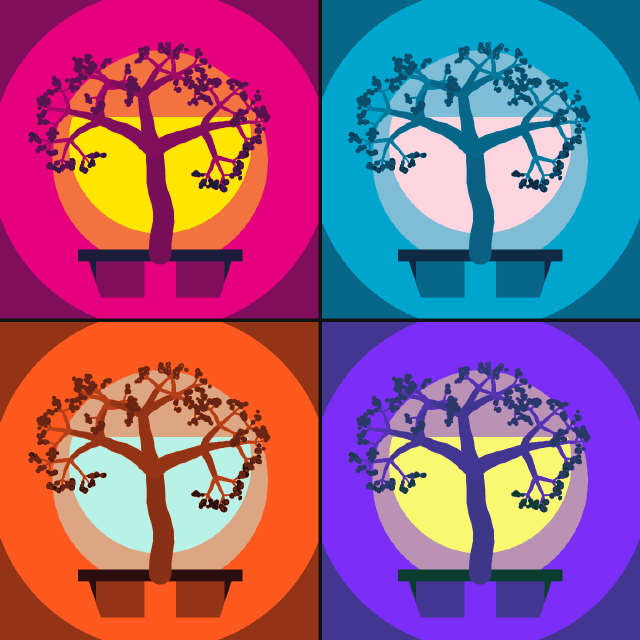
Pop Art Posterize Quad
A bonsai study repeated four times as smart objects, posterized and recolored per panel with masked Gradient Map layers.
Linen Colorway Swatches
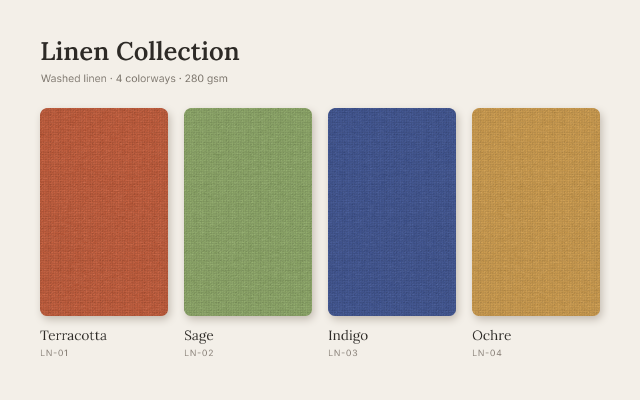
One woven texture shown in four colorways, each made by a Hue/Saturation layer masked to its own swatch.