Cinematic Teal & Orange Grade
A dusk seascape graded like a film still with a stack of curves, color balance, selective color and vibrance layers.
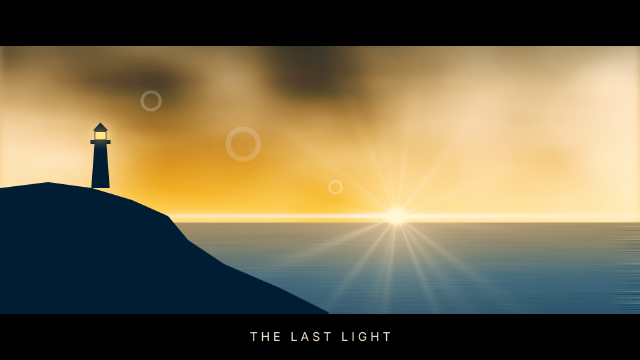
The scene underneath is procedural: a gradient sky, rendered clouds softened in Overlay, a sea of motion-blurred noise, a lens flare on a Screen layer and a cliff with a lighthouse. The look comes from four editable adjustment layers on top: an S-curve for contrast, Color Balance pushing the shadows to teal and the highlights to orange, Selective Color cooling the blues and warming the yellows (two ranges in one layer), and a touch of Vibrance. Letterbox bars crop the frame to 2.39:1.
Steps
37 commandssteps:
- { command: gradient.fill.create, params: { from: [0, 0], to: [0, 560], stops: [[0, "#2c4a5f"], [0.55, "#9c9a92"], [1, "#f2c48d"]] }, as: sky }
- { command: layer.renameLayer, params: { layer: $sky.layer, name: Sky } }
- { command: layer.new.layer, params: { name: Clouds }, as: clouds }
- { command: tools.setColors, params: { foreground: "#000000", background: "#ffffff" } }
- { command: filter.render.clouds, params: { seed: 11 } }
- { command: filter.blur.motionBlur, params: { angle: 0, distance: 120 } }
- { command: layer.setProps, params: { layer: $clouds.layer, blend: Overlay, opacity: 0.7 } }
- { command: select.rect, params: { x: 0, y: 0, width: 1600, height: 560, feather: 20 } }
- { command: layer.layerMask.revealSelection, params: { layer: $clouds.layer } }
- { command: select.deselect }
- { command: layer.new.layer, params: { name: Sea }, as: sea }
- { command: select.rect, params: { x: 0, y: 556, width: 1600, height: 344 } }
- { command: edit.fill, params: { contents: color, color: "#5d6f7a" } }
- { command: filter.noise.addNoise, params: { amount: 40, distribution: gaussian, monochromatic: true, seed: 3 } }
- { command: filter.blur.motionBlur, params: { angle: 0, distance: 160 } }
- { command: select.deselect }
- { command: gradient.fill.create, params: { from: [0, 556], to: [0, 900], stops: [[0, "#f4c58c"], [0.4, "#6d7f8a"], [1, "#22323d"]], mode: soft-light }, as: seaTone }
- { command: layer.renameLayer, params: { layer: $seaTone.layer, name: Sea Tone } }
- { command: layer.new.layer, params: { name: Sun Flare }, as: flare }
- { command: edit.fill, params: { contents: color, color: "#000000" } }
- { command: filter.render.lensFlare, params: { centerX: 0.62, centerY: 0.6, brightness: 140, lens: moviePrime } }
- { command: layer.setProps, params: { layer: $flare.layer, blend: Screen } }
- { command: shape.create, params: { kind: path, name: Cliff, fill: "#141b20", path: { subpaths: [ { knots: [[0, 470], [120, 455], [230, 470], [330, 500], [420, 540], [470, 600], [560, 660], [700, 720], [820, 780], [900, 900], [0, 900]] } ] } } }
- { command: shape.create, params: { kind: path, name: Lighthouse, fill: "#141b20", path: { subpaths: [ { knots: [[228, 470], [236, 360], [266, 360], [274, 470]] }, { knots: [[226, 360], [276, 360], [276, 350], [226, 350]] }, { knots: [[236, 350], [266, 350], [266, 326], [236, 326]] }, { knots: [[232, 326], [251, 306], [270, 326]] } ] } } }
- { command: shape.create, params: { kind: rect, rect: [238, 330, 26, 18], fill: "#ffe2a8", name: Lamp }, as: lamp }
- { command: layer.layerStyle.outerGlow, params: { layer: $lamp.layer, color: "#ffd38a", opacity: 90, size: 40 } }
- { command: layer.newAdjustmentLayer.curves, params: { points: [[0, 12], [64, 50], [128, 128], [192, 206], [255, 246]] }, as: curves }
- { command: layer.renameLayer, params: { layer: $curves.layer, name: Contrast S-Curve } }
- { command: layer.newAdjustmentLayer.colorBalance, params: { shadows: [-22, 0, 18], midtones: [8, 0, -12], highlights: [22, 0, -26] }, as: balance }
- { command: layer.renameLayer, params: { layer: $balance.layer, name: Teal Shadows Orange Highlights } }
- { command: layer.newAdjustmentLayer.selectiveColor, params: { method: relative, blues: [30, 0, -10, 10], yellows: [0, 10, 15, 0] }, as: selective }
- { command: layer.renameLayer, params: { layer: $selective.layer, name: Cooler Blues } }
- { command: layer.newAdjustmentLayer.vibrance, params: { vibrance: 25, saturation: 0 }, as: vibrance }
- { command: layer.renameLayer, params: { layer: $vibrance.layer, name: Vibrance } }
- { command: shape.create, params: { kind: rect, rect: [0, 0, 1600, 115], fill: "#000000", name: Letterbox Top } }
- { command: shape.create, params: { kind: rect, rect: [0, 785, 1600, 115], fill: "#000000", name: Letterbox Bottom } }
- { command: type.create, params: { x: 800, y: 852, text: "T H E L A S T L I G H T", font: Inter, size: 30, color: "#e9d8c4", align: center, name: Title } }Checks
10 checks on every buildinspect.layers= {"count":16}inspect.layers.6= {"kind":"Adjustment","adjustmentKind":"curves","name":"Contrast S-Curve"}inspect.layers.5= {"kind":"Adjustment","adjustmentKind":"colorBalance","adjustmentParams":{"shadows":[-22,0,18],"highlights":[22,0,-26]}}inspect.layers.4= {"kind":"Adjustment","name":"Cooler Blues","adjustmentKind":"selectiveColor","adjustmentParams":{"blues":[30,0,-10,10],"yellows":[0,10,15,0]}}inspect.layers.3= {"kind":"Adjustment","adjustmentKind":"vibrance"}inspect.layers.-3= {"name":"Clouds","blend":"Overlay","hasMask":true}inspect.layers.-5= {"name":"Sea Tone","kind":"Fill","blend":"Soft Light"}inspect.layers.-6= {"name":"Sun Flare","blend":"Screen"}- Diagnostics: none, the kit's own check finds nothing wrong
- The saved document opens again, and its thumbnail matches
thumb.pngwithin the render tolerance
Related
More Photo samples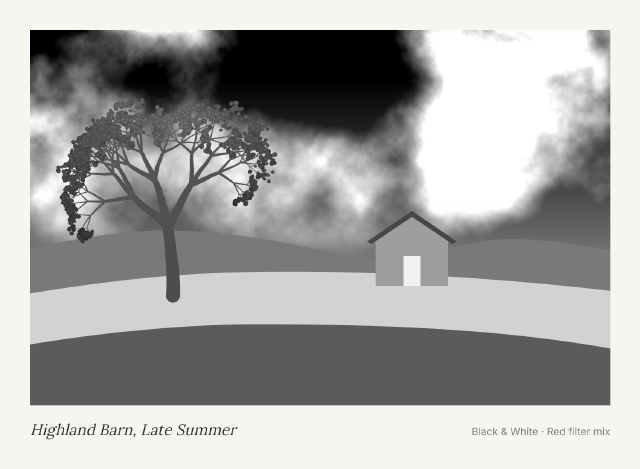
Black & White Red Filter Print
A colorful farm landscape turned into a dramatic monochrome print with a Black & White layer mixed like a red lens filter.
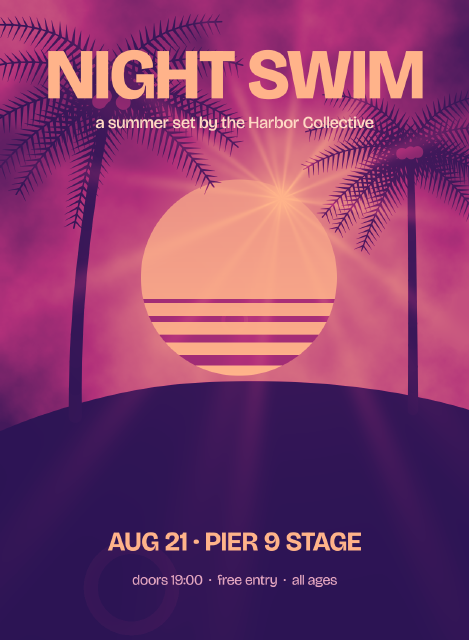
Duotone Gig Poster
A palm-and-sun scene mapped to a two-color indigo and coral duotone with a Gradient Map layer, under bold gig typography.
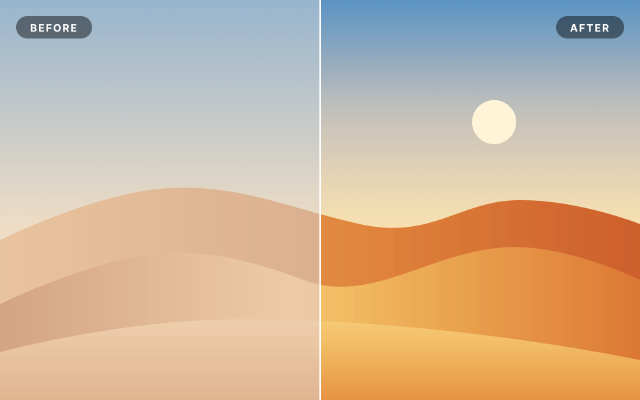
Levels & Curves Before / After
A hazy desert scene corrected with Levels, Curves and Vibrance layers masked to the right half, for a split comparison.
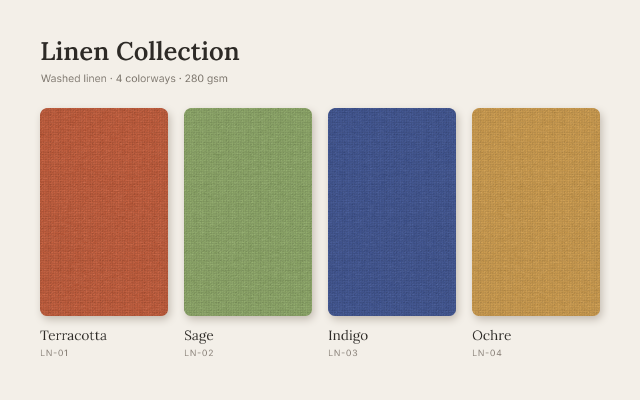
Linen Colorway Swatches
One woven texture shown in four colorways, each made by a Hue/Saturation layer masked to its own swatch.