Neon Glitch Stream Intro
A starting-soon screen for a live stream, with neon footage torn by a digital glitch, under a chromatic-split glowing title.
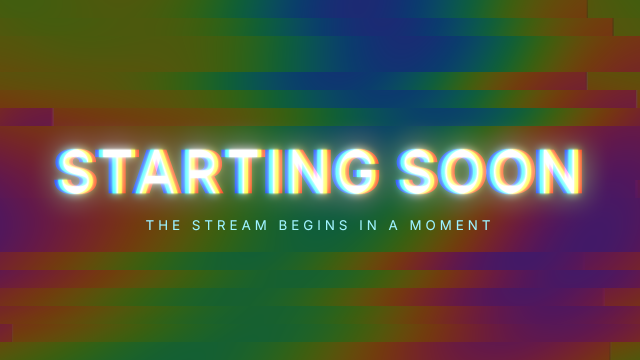
The neon loop on V1 is darkened with Lumetri Color (exposure −2.2) and broken up with Digital Glitch (slices shifted sideways, with scanlines). The title on V2 gets RGB Split for the chromatic fringe and Wonder Glow; the split amount is keyframed from 60 down to 12 over the first second, so the title snaps into focus.
Animated sample: watch the preview (WebP animation).
Steps
15 commands · after thedemo-footage preludesteps:
- { command: file.newSequence, params: { name: Starting Soon, width: 1920, height: 1080, fps: 30, video: 3, audio: 1 } }
- { command: timeline.place, params: { item: 10, track: V1, seconds: 0, audio: false }, as: neon }
- { command: effects.apply, params: { clips: [$neon.clips.0], effect: lumetri } }
- { command: effects.setParam, params: { clip: $neon.clips.0, effect: lumetri, param: exposure, value: -2.2 } }
- { command: effects.setParam, params: { clip: $neon.clips.0, effect: lumetri, param: saturation, value: 85 } }
- { command: effects.apply, params: { clips: [$neon.clips.0], effect: vr_digital_glitch } }
- { command: effects.setParam, params: { clip: $neon.clips.0, effect: vr_digital_glitch, param: amplitude, value: 60 } }
- { command: graphics.newText, params: { text: STARTING SOON, position: [960, 580], size: 180, seconds: 10, track: 1, time: 0 }, as: title }
- { command: graphics.set, params: { clip: $title.clip, props: { font_style: Bold, align: center, tracking: 40, fill_color: "#ffffff" } } }
- { command: effects.apply, params: { clips: [$title.clip], effect: rgb_split } }
- { command: effects.setParam, params: { clip: $title.clip, effect: rgb_split, param: amount, value: 60, seconds: 0 } }
- { command: effects.setParam, params: { clip: $title.clip, effect: rgb_split, param: amount, value: 12, seconds: 1 } }
- { command: effects.apply, params: { clips: [$title.clip], effect: wonder_glow } }
- { command: graphics.newText, params: { text: THE STREAM BEGINS IN A MOMENT, position: [960, 690], size: 40, seconds: 10, track: 2, time: 0 }, as: subtitle }
- { command: graphics.set, params: { clip: $subtitle.clip, props: { align: center, tracking: 300, fill_color: "#9ff6ff" } } }Checks
7 checks on every buildinspect.sequence.video.0.items.0.effects.0.params= {"exposure":{"value":-2.2},"saturation":{"value":85}}inspect.sequence.video.0.items.0.effects.1.effect= "vr_digital_glitch"inspect.sequence.video.0.items.0.effects.1.params.amplitude.value= 60inspect.sequence.video.1.items.0.effects.0= {"effect":"rgb_split","params":{"amount":{"keyframes":[{"time":0,"value":60},{"time":254016000000,"value":12}]}}}inspect.sequence.video.1.items.0.effects.1.effect= "wonder_glow"- Diagnostics: none, the kit's own check finds nothing wrong
- The saved document opens again, and its thumbnail matches
thumb.pngwithin the render tolerance
Related
More Film samples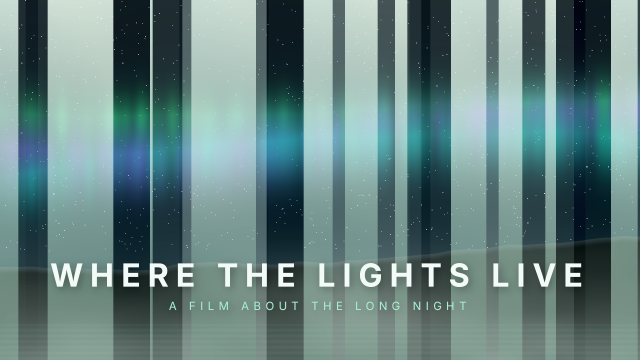
Double Exposure Screen Blend
An aurora laid over a misty forest with the Screen blend mode, making an in-camera style double exposure for a documentary title.
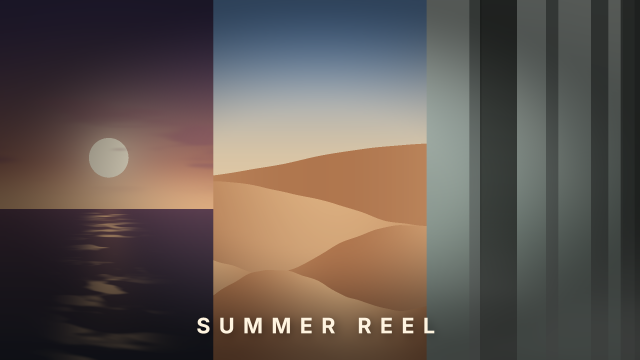
Adjustment Layer Film Print
One adjustment layer gives three different shots the same faded film-print grade and vignette in a triptych.
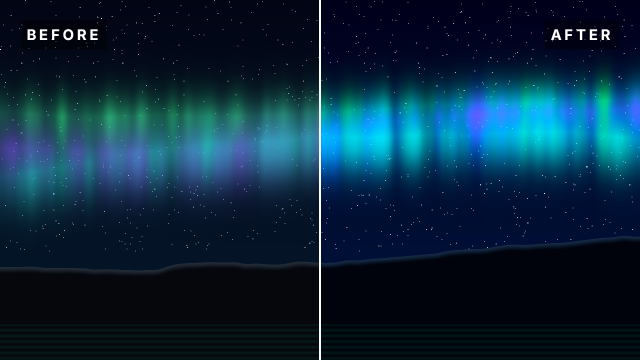
Before & After Grade Split
A split-screen comparison of an aurora shot, ungraded on the left and colour-graded on the right, with a divider and labels.
Black & White Film Look
A misty forest turned into a grainy black-and-white film frame with extra contrast and a soft vignette, under a serif title.