Nested Flashback Look
A short film nests its three-shot flashback and its date card into one clip, then grades the whole memory black and white in one place.
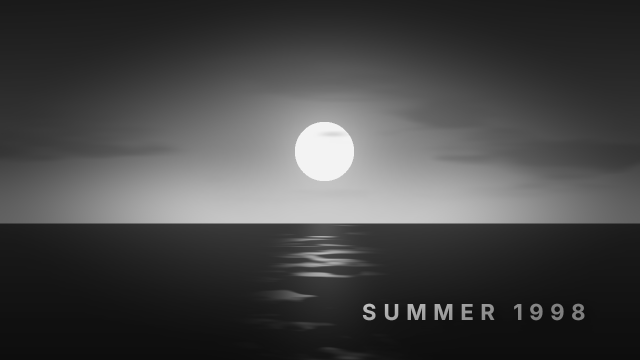
The flashback is three shots (dunes, ocean, forest) on Video 1 and a date card on Video 2, between two present-day shots of the city and the neon sign. Selecting the five flashback pieces and running `clip.nest` moves them into a new sequence called Flashback 1998 and leaves one clip of it in their place, so Black & White and a vignette are applied once, to the nested clip, instead of to every shot. The thumbnail is inside the flashback.
Animated sample: watch the preview (WebP animation).
Steps
12 commands · after thedemo-footage preludesteps:
- { command: file.newSequence, params: { name: The Return, width: 1280, height: 720, fps: 24, video: 2, audio: 1 }, as: sequence }
- { command: timeline.place, params: { item: 7, track: V1, seconds: 0, sourceIn: 254016000000, duration: 762048000000 }, as: city }
- { command: timeline.place, params: { item: 8, track: V1, seconds: 3, sourceIn: 254016000000, duration: 508032000000 }, as: dunes }
- { command: timeline.place, params: { item: 5, track: V1, seconds: 5, sourceIn: 1016064000000, duration: 508032000000 }, as: ocean }
- { command: timeline.place, params: { item: 9, track: V1, seconds: 7, sourceIn: 254016000000, duration: 508032000000 }, as: forest }
- { command: timeline.place, params: { item: 10, track: V1, seconds: 9, duration: 762048000000 }, as: neon }
- { command: graphics.newText, params: { text: SUMMER 1998, position: [1184, 640], size: 44, seconds: 6, track: 1, time: 762048000000 }, as: date }
- { command: graphics.set, params: { clip: $date.clip, props: { font_style: Bold, align: right, tracking: 300, fill_color: "#ffffff", shadow: true } } }
- { command: timeline.select, params: { clips: [$dunes.clips.0, $ocean.clips.0, $forest.clips.0, $date.clip] } }
- { command: clip.nest, params: { name: Flashback 1998 }, as: nest }
- { command: effects.apply, params: { clips: [$nest.clips.0], effect: black_white } }
- { command: effects.apply, params: { clips: [$nest.clips.0], effect: vignette } }Checks
9 checks on every buildinspect.sequence.video.0.items= {"count":3}inspect.sequence.video.0.items.1= {"name":"Flashback 1998","start":762048000000,"end":2286144000000}inspect.sequence.video.0.items.1.effects= {"count":5,"any":{"effect":"black_white"}}inspect.sequence.video.0.items.1.effects.0.effect= "black_white"inspect.sequence.video.0.items.1.effects.1.effect= "vignette"inspect.sequence.video.1.items= {"count":0}inspect.project.root.children= {"any":{"name":"Flashback 1998","type":"Sequence"}}- Diagnostics: none, the kit's own check finds nothing wrong
- The saved document opens again, and its thumbnail matches
thumb.pngwithin the render tolerance
Related
More Film samples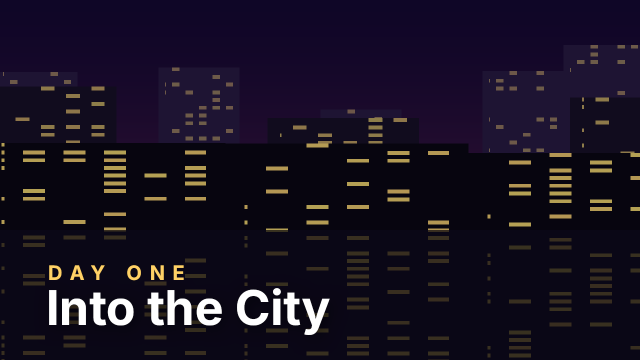
Freeze Frame Day One
A travel vlog freezes the city drive for two seconds and stamps the day's title on the held frame.

Six Places Beat Montage
A summer travel recap cuts six scenes on the bar lines of its music, marked first and then edited to the markers.
Four Camera Angle Cut
A festival recap groups four synced cameras into one multicam clip and live-cuts between the angles every two seconds.
Night Drive Speed Ramp
A car-culture reel cuts one long night drive into three pieces and runs them at normal speed, triple speed and half-speed slow motion.