Before & After Grade Split
A split-screen comparison of an aurora shot, ungraded on the left and colour-graded on the right, with a divider and labels.
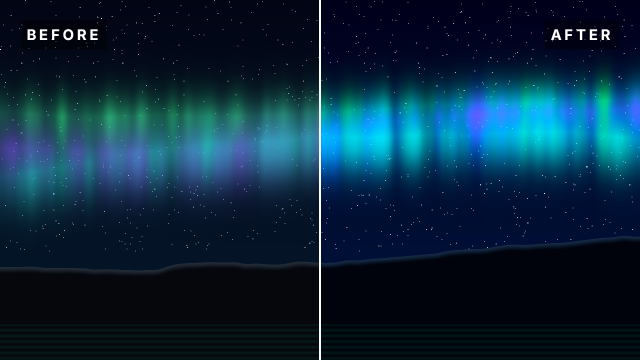
The same aurora clip sits on V1 and V2. The copy on V2 carries the grade (Lumetri Color: more exposure, contrast and saturation, deeper blacks) and a Crop effect that removes its left half, so the untouched clip on V1 shows through. A thin white bar marks the split and two labels name the halves: the usual way to show a client what the grade does.
Animated sample: watch the preview (WebP animation).
Steps
17 commands · after thedemo-footage preludesteps:
- { command: file.newSequence, params: { name: Grade Comparison, width: 1920, height: 1080, fps: 24, video: 3, audio: 1 } }
- { command: timeline.place, params: { item: 6, track: V1, seconds: 0, audio: false }, as: before }
- { command: timeline.place, params: { item: 6, track: V2, seconds: 0, audio: false }, as: after }
- { command: effects.apply, params: { clips: [$after.clips.0], effect: lumetri } }
- { command: effects.setParam, params: { clip: $after.clips.0, effect: lumetri, param: exposure, value: 0.6 } }
- { command: effects.setParam, params: { clip: $after.clips.0, effect: lumetri, param: contrast, value: 30 } }
- { command: effects.setParam, params: { clip: $after.clips.0, effect: lumetri, param: blacks, value: -20 } }
- { command: effects.setParam, params: { clip: $after.clips.0, effect: lumetri, param: saturation, value: 150 } }
- { command: effects.setParam, params: { clip: $after.clips.0, effect: lumetri, param: vibrance, value: 30 } }
- { command: effects.apply, params: { clips: [$after.clips.0], effect: crop } }
- { command: effects.setParam, params: { clip: $after.clips.0, effect: crop, param: left, value: 50 } }
- { command: graphics.newRectangle, params: { position: [960, 540], size: [6, 1080], seconds: 16, track: 2, time: 0 }, as: labels }
- { command: graphics.set, params: { clip: $labels.clip, props: { fill_color: "#ffffff" } } }
- { command: graphics.newText, params: { clip: $labels.clip, text: BEFORE, position: [80, 120], size: 44 } }
- { command: graphics.set, params: { clip: $labels.clip, props: { font_style: Bold, tracking: 200, fill_color: "#ffffff", background: true, background_color: "#000000", background_opacity: 55, background_size: 18 } } }
- { command: graphics.newText, params: { clip: $labels.clip, text: AFTER, position: [1840, 120], size: 44 } }
- { command: graphics.set, params: { clip: $labels.clip, props: { font_style: Bold, align: right, tracking: 200, fill_color: "#ffffff", background: true, background_color: "#000000", background_opacity: 55, background_size: 18 } } }Checks
9 checks on every buildinspect.sequence.video.0.items.0.item= 6inspect.sequence.video.0.items.0.effects= {"none":{"effect":"lumetri"}}inspect.sequence.video.1.items.0.item= 6inspect.sequence.video.1.items.0.effects.0.effect= "lumetri"inspect.sequence.video.1.items.0.effects.0.params= {"exposure":{"value":0.6},"contrast":{"value":30},"blacks":{"value":-20},"saturation":{"value":150},"vibrance":{"value":30}}inspect.sequence.video.1.items.0.effects.1= {"effect":"crop","params":{"left":{"value":50}}}inspect.sequence.video.2.items.0.effects= {"count":6}- Diagnostics: none, the kit's own check finds nothing wrong
- The saved document opens again, and its thumbnail matches
thumb.pngwithin the render tolerance
Related
More Film samples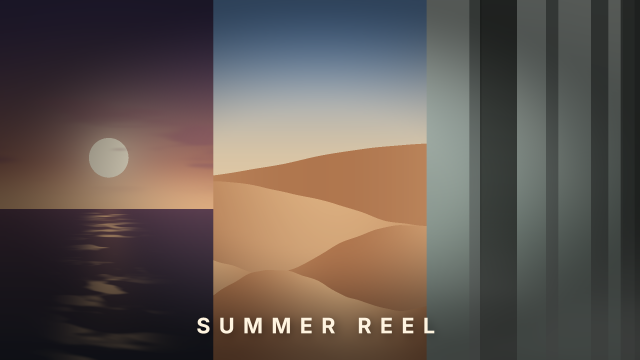
Adjustment Layer Film Print
One adjustment layer gives three different shots the same faded film-print grade and vignette in a triptych.
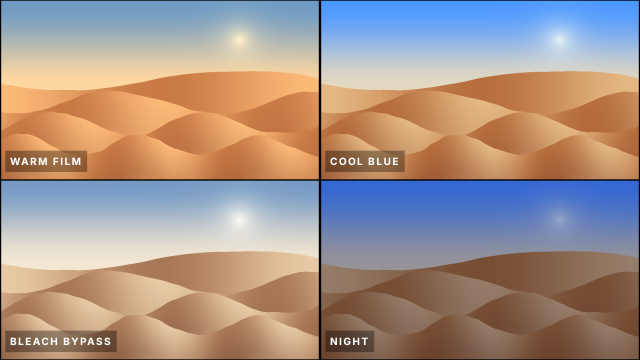
Creative Look LUT Grid
The same desert shot four times in a 2×2 grid, each with a different built-in creative look LUT, to pick a grade.
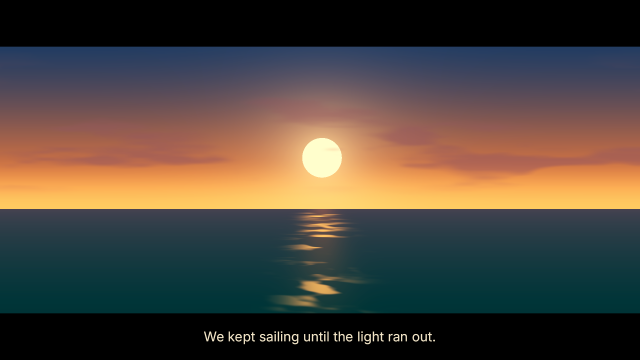
Teal & Orange Sunset Grade
A sunset at sea graded with Lumetri Color into a cinematic teal-and-orange look, framed in a 2.39:1 letterbox.
Black & White Film Look
A misty forest turned into a grainy black-and-white film frame with extra contrast and a soft vignette, under a serif title.