Prepare the brief
Prepare the source image and a precise description of what should change and what must remain intact.
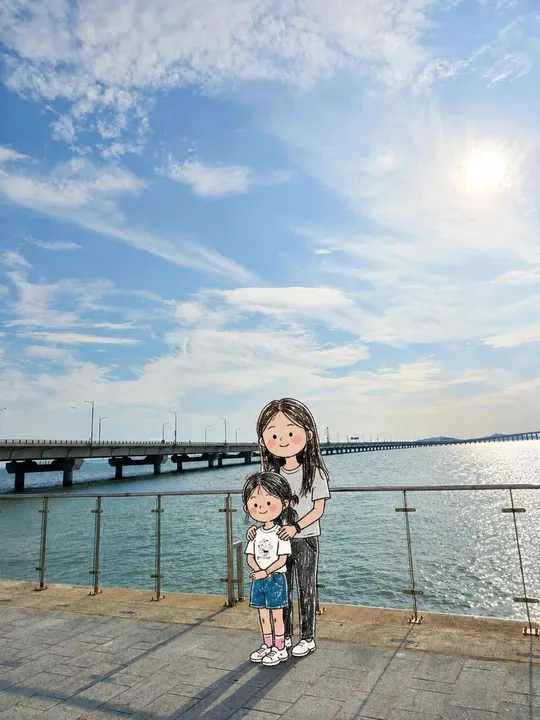
Keep the real background and redraw only the people as playful doodles.
This is an editing template. Attach a reference image before running it.
Template inputs
- Key details (optional)
- Which people to transform and what identity details to retain
- Colors (optional)
- Black ink with restrained hand-colored accents
Suggested settings
| Operation | edit |
|---|---|
| Aspect ratio | 3:4 |
| Quality | high |
| Resolution | 2K |
| Text | no_text |
| Available surfaces | document, table, whiteboard |
Use this template in Kition
- Open the image template picker from a supported document, table, or Whiteboard image surface.
- Search for “Photo with doodle people” and compare the preview with this example. The catalog ID is
photo-doodle-mix, version 1.0.0. - Attach the reference image and describe the changes to make.
- Choose an image-capable service, check the available dimensions and usage cost, then generate one candidate.
- Review the result, save the useful image into the workspace, and retain the brief with the output.
Review the output
Compare the reference and output side by side. Inspect identity, proportions, fine details, and unintended changes outside the requested area.
Use a table record to track the brief, candidate image, owner, and review status. Insert the selected asset into a document for context, or use Design Studio when the headline needs to remain editable.
Source and limitations
Preview examples and adapted templates originate from the credited MIT-licensed library. They illustrate a visual direction and do not promise identical output. Kition requires a configured image service; model requests may consume provider usage or Cloud credits.
Read the full source licenseA generated image is a raster asset. Rendering a table, document, or interface inside the image does not create a working table, document, or app.