Prepare the brief
Prepare a headline, supporting copy, intended placement, and a color direction before choosing a poster.
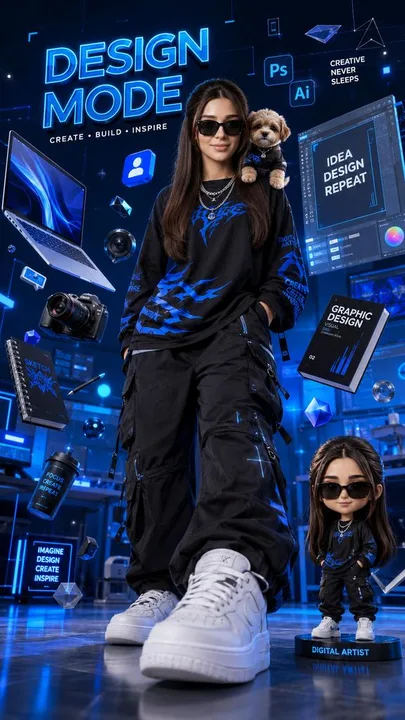
Create a bold 3D personal or professional identity poster.
Template inputs
- Main subject (required)
- For example: a confident motion designer
- Key details (optional)
- Oversized streetwear, camera, laptop, 3D tools, mini figure…
- Colors (optional)
- Electric blue and black
Suggested settings
| Operation | generate |
|---|---|
| Aspect ratio | 9:16 |
| Quality | high |
| Resolution | 2K |
| Text | editable_overlay |
| Available surfaces | document, table, whiteboard |
Use this template in Kition
- Open the image template picker from a supported document, table, or Whiteboard image surface.
- Search for “Neon creator poster” and compare the preview with this example. The catalog ID is
neon-creator-poster, version 1.0.0. - Fill in the main subject and any optional fields shown above.
- Choose an image-capable service, check the available dimensions and usage cost, then generate one candidate.
- Review the result, save the useful image into the workspace, and retain the brief with the output.
Review the output
Inspect spelling, reading order, line breaks, margins, and legibility at the final delivery size. Keep changeable copy in Design Studio text layers.
Use a table record to track the brief, candidate image, owner, and review status. Insert the selected asset into a document for context, or use Design Studio when the headline needs to remain editable.
Source and limitations
Preview examples and adapted templates originate from the credited MIT-licensed library. They illustrate a visual direction and do not promise identical output. Kition requires a configured image service; model requests may consume provider usage or Cloud credits.
Read the full source licenseA generated image is a raster asset. Rendering a table, document, or interface inside the image does not create a working table, document, or app.