
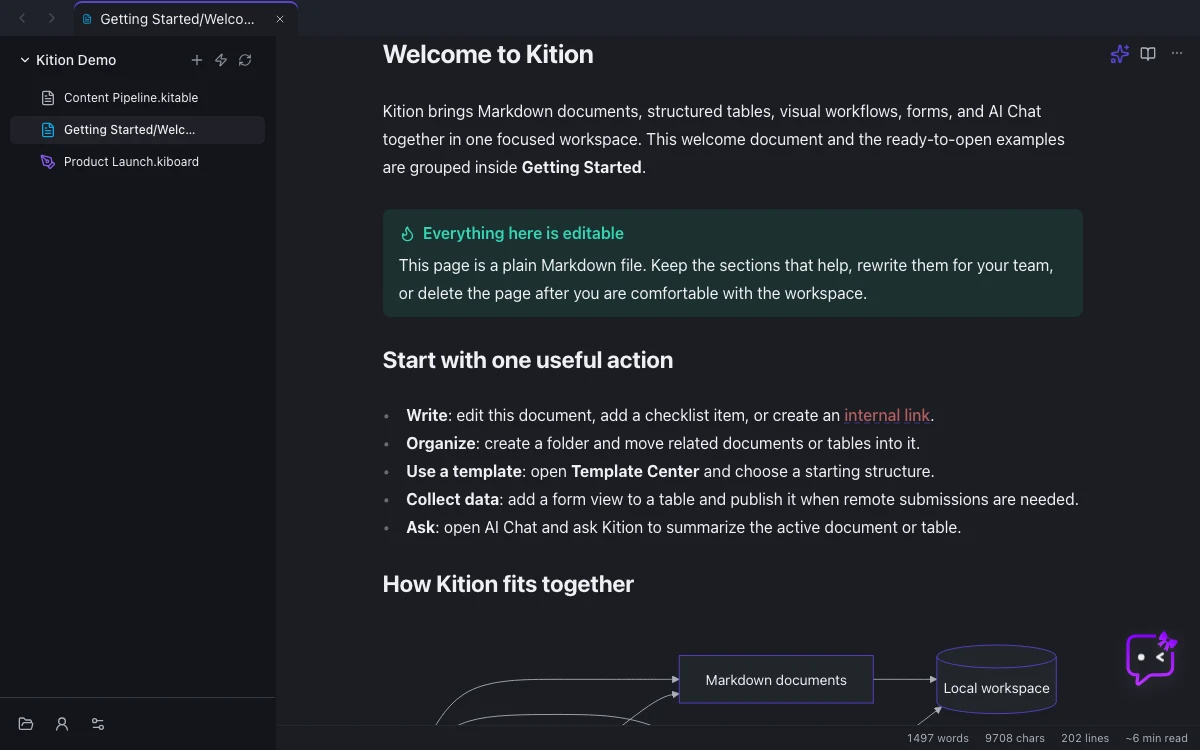
Connected documents
Write Markdown with live preview, links, backlinks, callouts, diagrams, search, templates, and export.
Kition is a desktop AI office workspace for docs, tables, whiteboards, images, designs, and workflows. Write and translate documents, organize records, create editable designs, and review Agent work in the project itself.
Free · macOS and Windows · Linux experimental
macOS and Windows, with experimental Linux builds.
Inspect document and whiteboard changes before accepting them.
OpenAI Responses, Anthropic Messages, provider presets, and compatible custom wires.
AGPL desktop client with visible tools, plans, artifacts, and review points.
Documents carry meaning. Tables carry state. Whiteboards make thinking visible. Designs turn the brief into editable visual assets. Workflows preserve the steps that should run again.
Write Markdown with live preview, links, backlinks, callouts, diagrams, search, templates, and export.
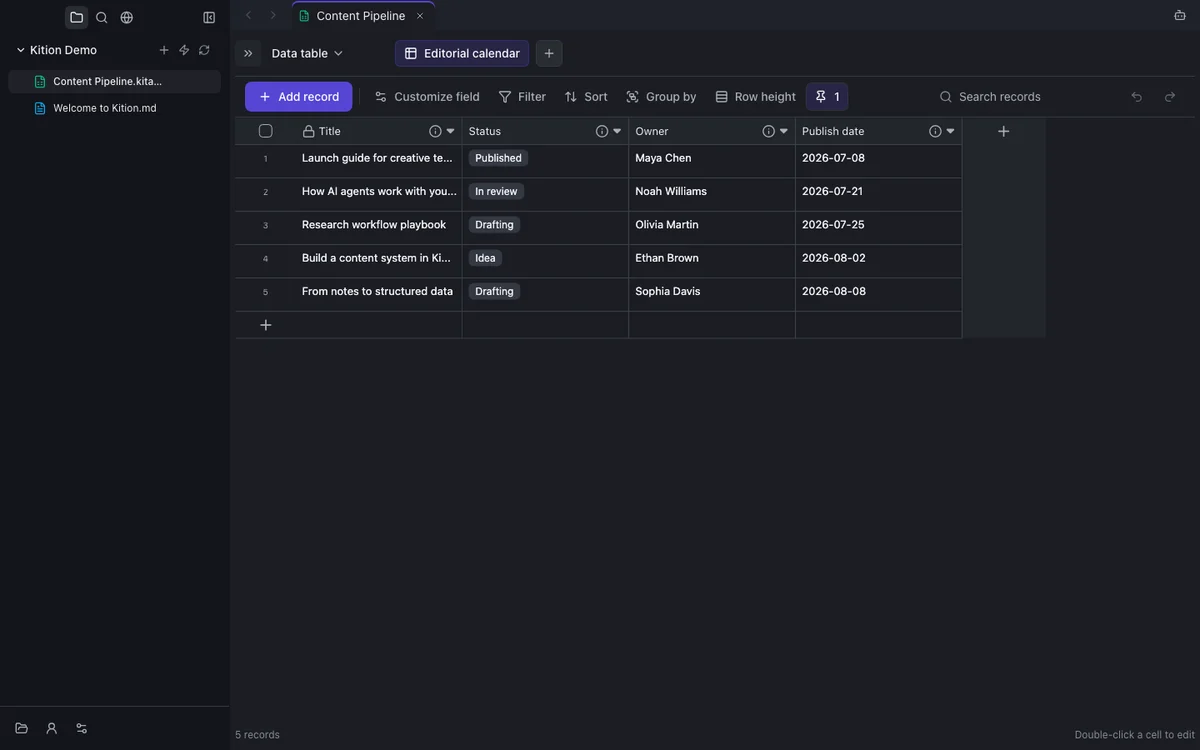
Keep typed records, attachments, formulas, views, AI fields, and operational state beside the narrative.
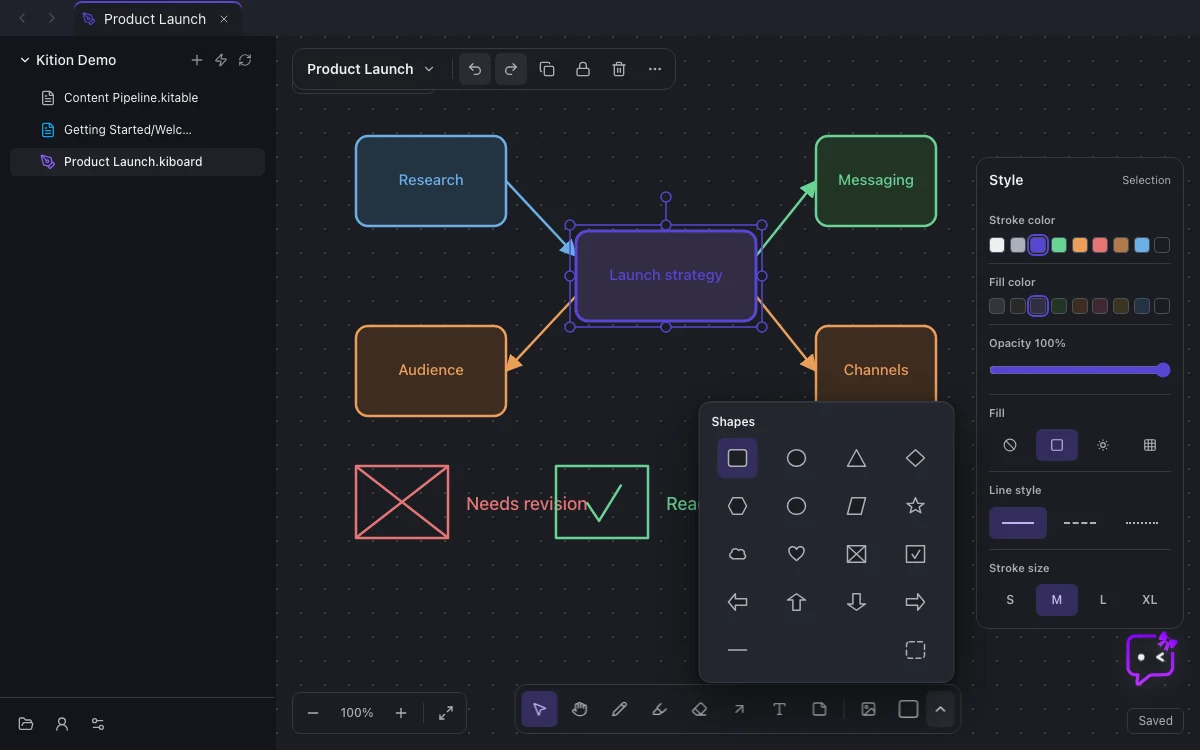
Think in diagrams, mind maps, flows, and freeform sketches—with Agent proposals previewed before they apply.
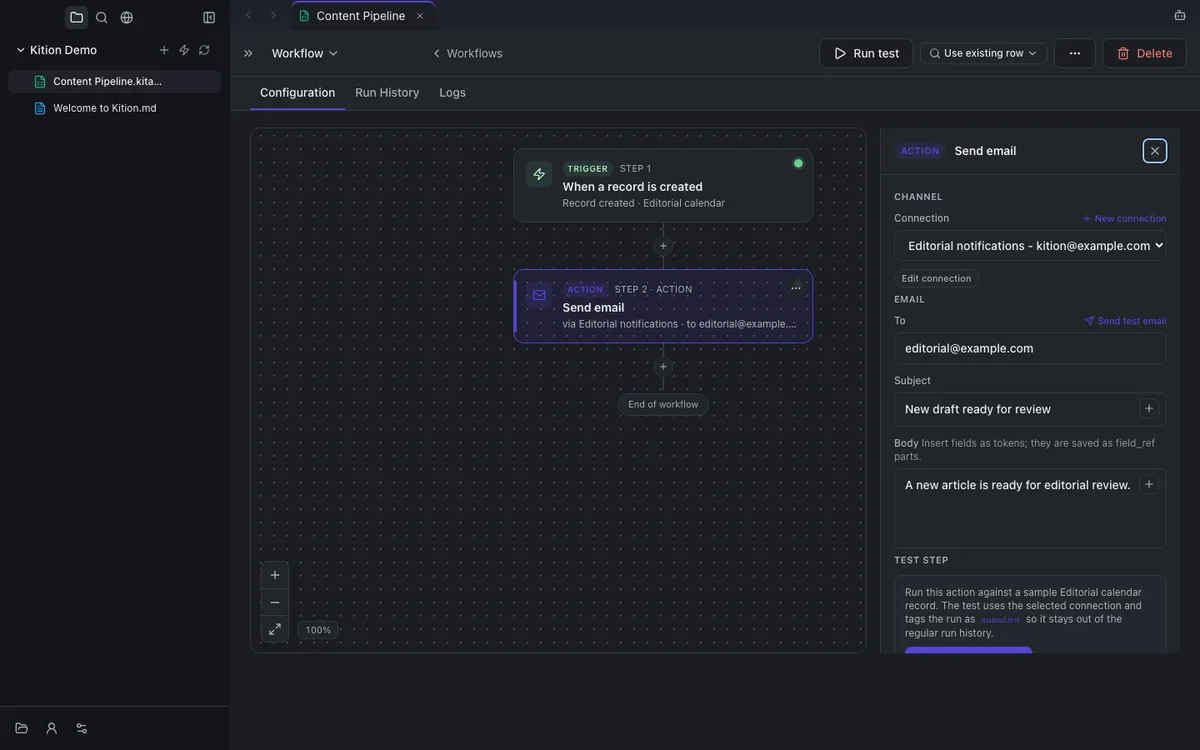
Turn approved steps into visible trigger-and-action processes with testing, validation, and run history.
Use a written brief, a reference image, or a template with a configured image-capable service. Review candidates and save useful assets back into the project.
Explore image generationDesign Studio combines image, text, and shape layers in an editable design. Apply your workspace brand kit, create multiple size variants, and review Agent design proposals on compatible runtimes. Export PNG, JPEG, SVG, or desktop PDF.
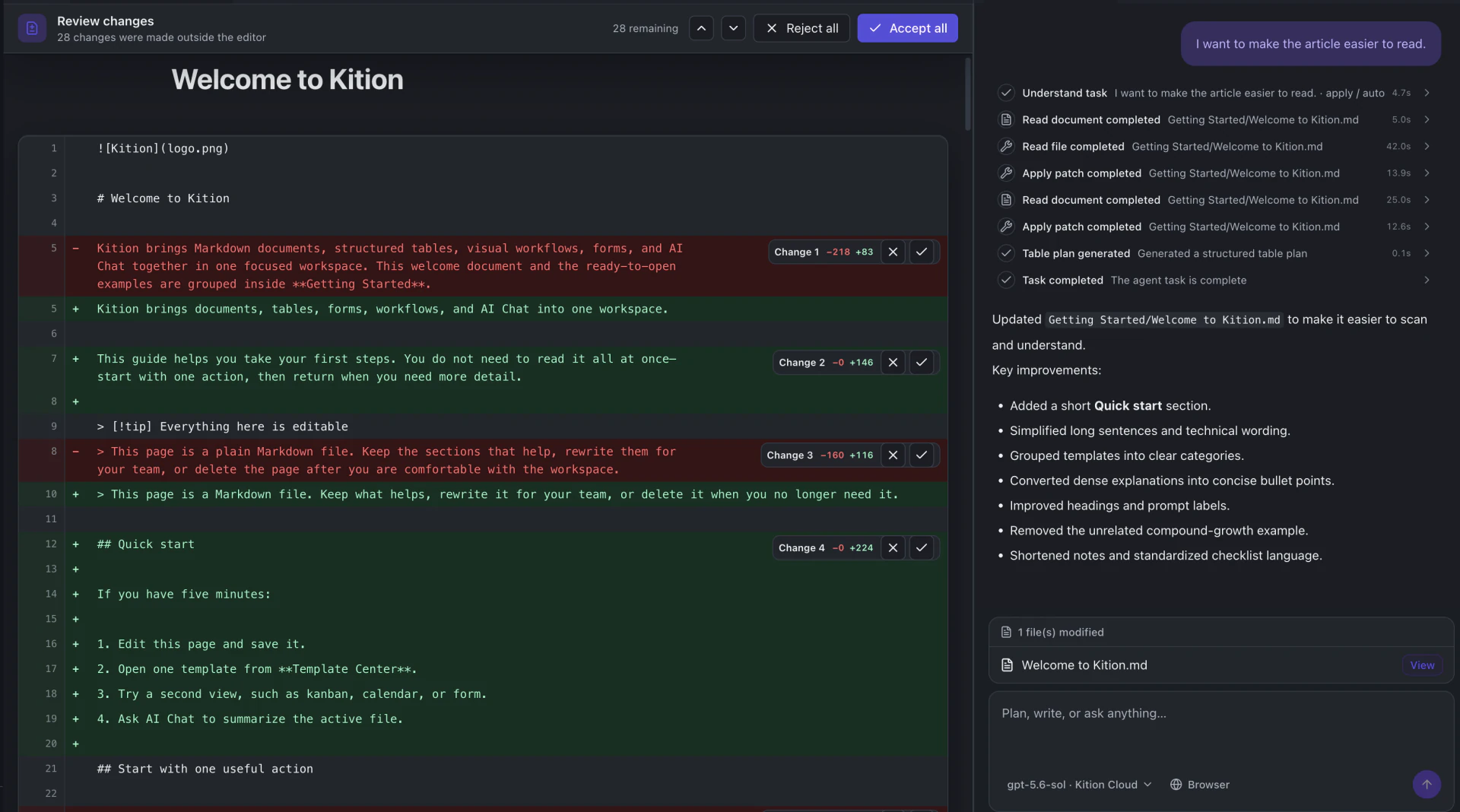
Kition does not leave you with another answer to copy and paste. The Agent can edit the actual project document, then show additions, deletions, and rewrites for explicit review.
The active document and project objects provide the context.
Every document change is presented as a readable diff.
Approve individual changes or the complete edit set.
Start with familiar work, keep execution visible, and move verified results into a process your team can inspect and repeat.
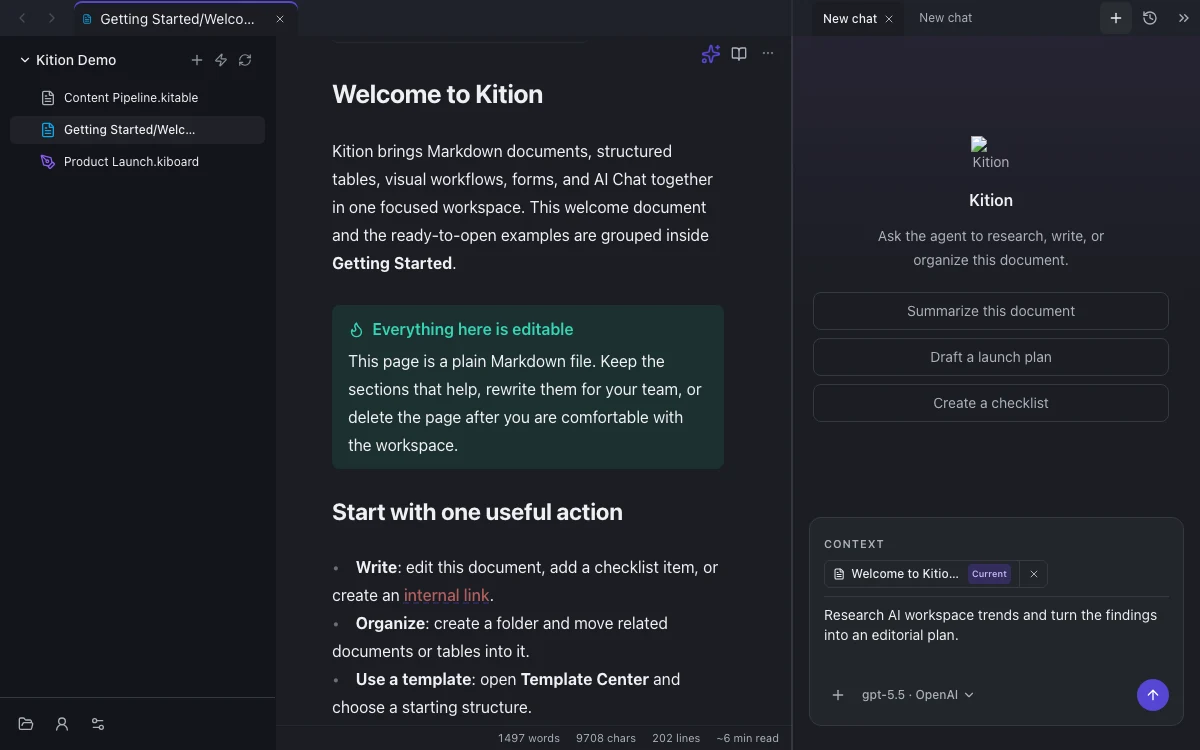
The Agent works with the document, record, board, design, or workflow in your project, with supported operations determined by the connected runtime.
Give it a goal, inspect the plan, and follow each tool call while it turns context into useful output.
AI fields can produce summaries, structured values, classifications, OCR results, and image assets per record.
Move a proven process into a visual workflow, test the steps, and inspect every run before enabling it.
Complete workflows with real inputs, visible Agent work, review points, and useful artifacts at the end.
Turn scattered evidence into an editable, source-connected deliverable.
→Let the Agent edit the source document, then approve exactly what remains.
→Convert image attachments into structured, searchable records.
→Expand one product brief into a coherent family of launch assets.
→Generate and compare multiple formats from one structured content queue.
→Move messages into tables, documents, and repeatable workflows.
→Yes — the desktop workspace is free for personal use. Linux builds are currently experimental.
It can read and edit documents, inspect and update tables, propose whiteboard changes, run workflows, execute approved commands, and call configured tools. Compatible runtimes also support reviewable design changes.
Kition supports OpenAI, Anthropic, built-in DeepSeek and Kimi presets, and custom endpoints that implement a supported Agent wire.
Yes. Document diffs, whiteboard proposals, plans, tool calls, and workflow runs stay visible. Compatible runtimes also provide design previews with accept and reject controls.
macOS (Apple Silicon and Intel) and Windows are supported. Linux is available as an experimental AppImage.
Documents, tables, editable designs, whiteboards, workflows, and one reviewable Agent—together on your desktop.