Four Camera Angle Cut
A festival recap groups four synced cameras into one multicam clip and live-cuts between the angles every two seconds.
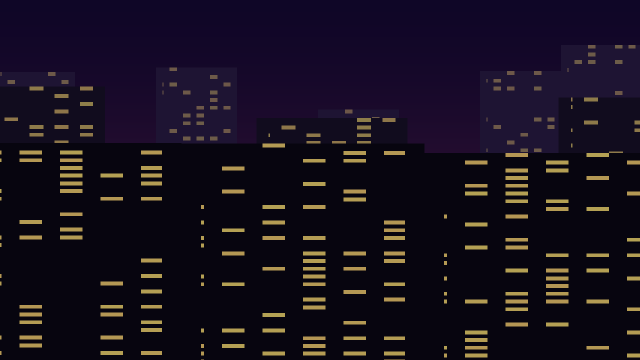
Four scenes stand in for four cameras that rolled together: `clip.createMulticam` lines them up by their In points into a source sequence called Four Angles, with camera 1's audio. One clip of it goes on Video 1, starts on camera 2, and a recording pass cuts to cameras 1, 3, 4 and back to 2 at 2 s intervals. Each switch becomes an edit, so the timeline ends with five segments of the same multicam clip, each showing its own angle. The thumbnail is on camera 3.
Animated sample: watch the preview (WebP animation).
Steps
10 commands · after thedemo-footage preludesteps:
- { command: clip.createMulticam, params: { items: [5, 6, 7, 8], name: Four Angles, method: in, audio: camera1, cameraNames: clip }, as: multicam }
- { command: file.newSequence, params: { name: Festival Recap, width: 1280, height: 720, fps: 24, video: 1, audio: 1 }, as: sequence }
- { command: timeline.place, params: { item: $multicam.sequence, track: V1, seconds: 0, duration: 2540160000000 }, as: cams }
- { command: multicam.switchAngle, params: { camera: 2, clips: [$cams.clips.0], time: 0 }, as: start }
- { command: multicam.recordStart, params: { time: 0 } }
- { command: multicam.cut, params: { camera: 1, time: 508032000000 }, as: cut1 }
- { command: multicam.cut, params: { camera: 3, time: 1016064000000 }, as: cut2 }
- { command: multicam.cut, params: { camera: 4, time: 1524096000000 }, as: cut3 }
- { command: multicam.cut, params: { camera: 2, time: 2032128000000 }, as: cut4 }
- { command: multicam.recordStop, params: { time: 2540160000000 }, as: recorded }Checks
13 checks on every buildresults.multicam.cameras= ["Ocean_Sunset.mp4","Aurora_Timelapse.mp4","City_Night_Drive.mp4","Desert_Dunes.mp4"]results.start.angle= 1results.cut1.angle= 0results.cut2.angle= 2results.cut3.angle= 3results.cut4.angle= 1results.recorded= {"cuts":4,"editPoints":4}inspect.sequence.video.0.items= {"count":5,"all":{"name":"Four Angles"}}inspect.sequence.video.0.items.2.start= 1016064000000inspect.sequence.video.0.items.4.end= 2540160000000inspect.project.root.children= {"any":{"name":"Four Angles","type":"Multi-Camera Source Sequence"}}- Diagnostics: none, the kit's own check finds nothing wrong
- The saved document opens again, and its thumbnail matches
thumb.pngwithin the render tolerance
Related
More Film samples
Freeze Frame Day One
A travel vlog freezes the city drive for two seconds and stamps the day's title on the held frame.
Nested Flashback Look
A short film nests its three-shot flashback and its date card into one clip, then grades the whole memory black and white in one place.
Night Drive Speed Ramp
A car-culture reel cuts one long night drive into three pieces and runs them at normal speed, triple speed and half-speed slow motion.

Ripple Out the Bars
A cleanup pass ripple-deletes a stray bars-and-tone clip and closes a one-second gap, pulling the rest of the cut together.