Help Centre Tabs Accordion
A help-centre panel with tabs and an accordion driven by a small script; two clicks switch to the Billing tab and open its second question before the thumbnail is taken.
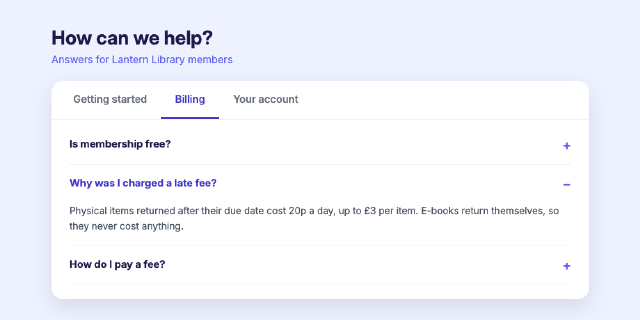
The page's own script swaps the active tab and opens accordion items. `html.click` clicks the rendered page at a point, as a reader would, so the thumbnail shows the state after two clicks (the Billing tab, its second question open) while the saved source stays as written: the checks confirm the clicks changed the page and the source still opens on Getting started.
Steps
3 commandssteps:
- command: html.setSource
as: page
params:
source: |
<!doctype html>
<html lang="en">
<head>
<meta charset="utf-8">
<title>Help centre</title>
<style>
* { box-sizing: border-box; }
body { margin: 0; padding: 40px 80px; font-family: Inter, sans-serif; background: #eef2ff; color: #1e1b4b; }
h1 { margin: 0 0 6px; font-size: 30px; }
.sub { margin: 0 0 24px; color: #6366f1; }
.box { background: #ffffff; border-radius: 18px; box-shadow: 0 12px 32px rgba(30,27,75,0.12); overflow: hidden; }
.tabs { display: flex; border-bottom: 1px solid #e0e7ff; padding: 0 12px; }
.tab { padding: 18px 22px; font-weight: 600; color: #6b7280; border-bottom: 3px solid transparent; }
.tab.on { color: #4338ca; border-bottom-color: #4338ca; }
.pane { display: none; padding: 10px 28px 22px; }
.pane.on { display: block; }
.q { border-bottom: 1px solid #eef2ff; }
.q h3 { margin: 0; padding: 18px 0; font-size: 16px; display: flex; justify-content: space-between; }
.q h3 span { color: #6366f1; font-size: 20px; }
.q p { display: none; margin: 0 0 18px; color: #4b5563; line-height: 1.6; font-size: 15px; }
.q.open p { display: block; }
.q.open h3 { color: #4338ca; }
</style>
</head>
<body>
<h1>How can we help?</h1>
<p class="sub">Answers for Lantern Library members</p>
<div class="box">
<div class="tabs">
<div class="tab on" data-pane="start">Getting started</div>
<div class="tab" data-pane="billing">Billing</div>
<div class="tab" data-pane="account">Your account</div>
</div>
<div class="pane on" id="start">
<div class="q open"><h3>How do I borrow an e-book? <span>−</span></h3><p>Open the title, choose Borrow and it appears on your shelf straight away. Loans last 21 days.</p></div>
<div class="q"><h3>Can I read offline? <span>+</span></h3><p>Yes. Download a book while connected and it stays readable until the loan ends.</p></div>
</div>
<div class="pane" id="billing">
<div class="q"><h3>Is membership free? <span>+</span></h3><p>Yes, for anyone who lives, works or studies in the county.</p></div>
<div class="q"><h3>Why was I charged a late fee? <span>+</span></h3><p>Physical items returned after their due date cost 20p a day, up to £3 per item. E-books return themselves, so they never cost anything.</p></div>
<div class="q"><h3>How do I pay a fee? <span>+</span></h3><p>At any branch desk, or online under Your account.</p></div>
</div>
<div class="pane" id="account">
<div class="q"><h3>I forgot my PIN <span>+</span></h3><p>Use Reset PIN on the sign-in page; a new one goes to your email.</p></div>
</div>
</div>
<script>
document.querySelectorAll('.tab').forEach(function (tab) {
tab.addEventListener('click', function () {
document.querySelectorAll('.tab, .pane').forEach(function (el) { el.classList.remove('on'); });
tab.classList.add('on');
document.getElementById(tab.getAttribute('data-pane')).classList.add('on');
});
});
document.querySelectorAll('.q h3').forEach(function (head) {
head.addEventListener('click', function () {
var q = head.parentNode;
q.classList.toggle('open');
head.querySelector('span').textContent = q.classList.contains('open') ? '−' : '+';
});
});
</script>
</body>
</html>
- { command: html.click, params: { x: 290, y: 167 }, as: tab }
- { command: html.click, params: { x: 400, y: 285 }, as: question }Checks
8 checks on every buildinspect.width= 1000inspect.height= 500inspect.source= {"contains":"<div class=\"tab on\" data-pane=\"start\">"}results.page.changed= trueresults.tab.changed= trueresults.question.changed= true- Diagnostics: none, the kit's own check finds nothing wrong
- The saved document opens again, and its thumbnail matches
thumb.pngwithin the render tolerance
Related
More HTML samples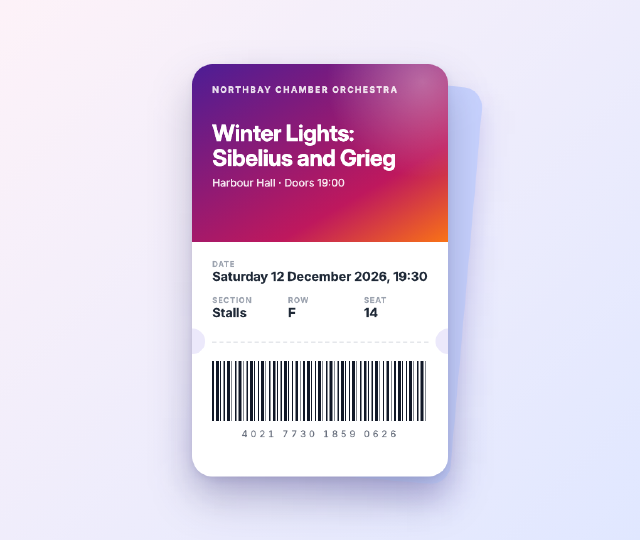
Concert Ticket Card
A mobile e-ticket for an orchestra concert, with a gradient header, punched notches, a dashed tear line, seat details in a grid and a barcode drawn with a repeating gradient.
Home Energy Dashboard
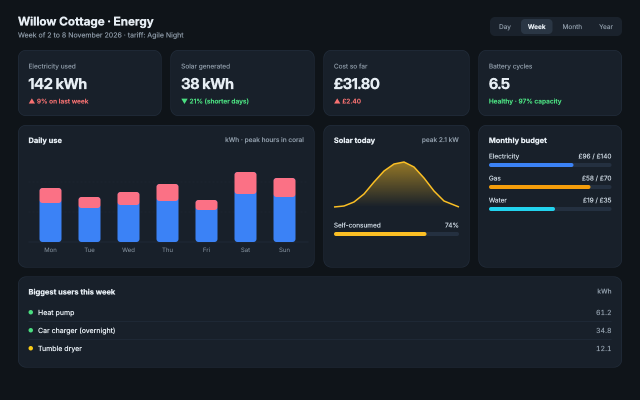
A household energy dashboard with KPI cards, an inline SVG bar chart of daily use, a solar sparkline, progress bars and a device list, laid out with CSS grid.
Volunteer Signup Form
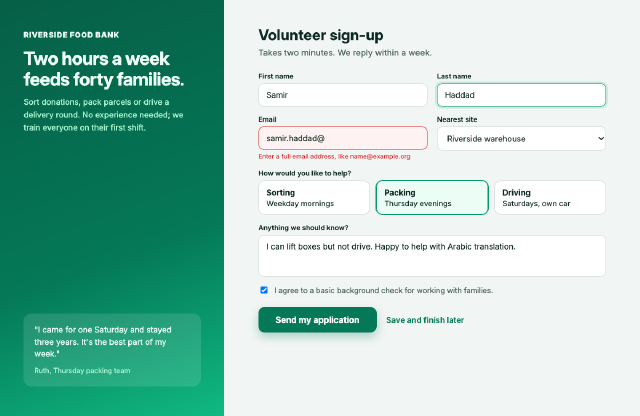
A two-column signup page with real form controls, a field in its error state, radio cards, a consent check box and a primary button beside an illustrated panel.
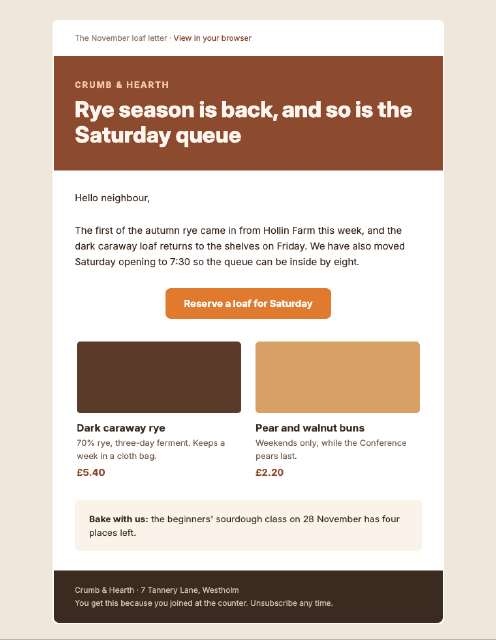
Bakery Newsletter Email
A 600-pixel email newsletter built the way mail clients need it, with nested tables, inline styles, a bulletproof button and a two-column product row.