Spinning Badge Promo
A podcast promo where a starburst badge pops in with an overshoot and keeps turning beside the episode title.
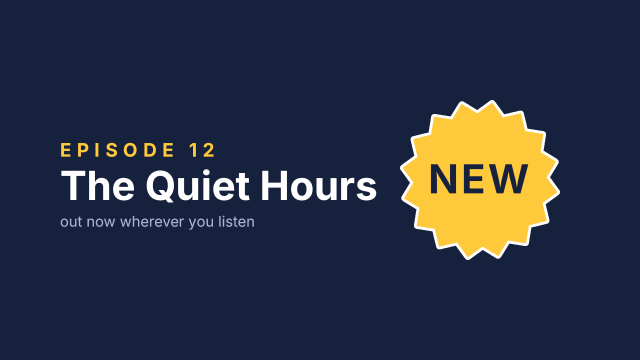
The badge is a 16-point starburst path drawn around the frame centre, so Motion's anchor sits at its middle; Motion position then moves it to the right. Its rotation is keyframed from 0° to 360° over eight seconds at a constant speed, and its scale goes 0 → 118 → 100 % in the first 0.6 s with eased keyframes for a springy pop. The NEW label is a separate clip with the same scale keys, so it pops with the badge but stays upright.
Animated sample: watch the preview (WebP animation).
Steps
28 commandssteps:
# The new document opens with one empty 1920 × 1080 sequence: name it and give it a fourth track.
- { command: sequence.settings, params: { name: Episode Promo, fps: 30 } }
- { command: sequence.addTracks, params: { video: 1 } }
- { command: file.newColorMatte, params: { color: "#16213e", seconds: 8 }, as: matte }
- { command: timeline.place, params: { item: $matte.item, track: V1, seconds: 0 } }
- { command: graphics.newText, params: { text: EPISODE 12, position: [180, 470], size: 56, seconds: 8, track: 1, time: 0 }, as: copy }
- { command: graphics.set, params: { clip: $copy.clip, props: { font_style: Bold, tracking: 300, fill_color: "#ffc93c" } } }
- { command: graphics.newText, params: { clip: $copy.clip, text: The Quiet Hours, position: [180, 600], size: 120 } }
- { command: graphics.set, params: { clip: $copy.clip, props: { font_style: Bold, fill_color: "#ffffff" } } }
- { command: graphics.newText, params: { clip: $copy.clip, text: out now wherever you listen, position: [180, 680], size: 44 } }
- { command: graphics.set, params: { clip: $copy.clip, props: { fill_color: "#aab4d4" } } }
# A 16-point starburst around the frame centre: 32 vertices (frame pixels) alternating between
# radius 235 and 200. Without a position the layer sits at the centre of its points.
- { command: graphics.newShape, params: { shape: path, points: [[960, 305], [999, 343.8], [1049.9, 322.9], [1071.1, 373.7], [1126.2, 373.8], [1126.3, 428.9], [1177.1, 450.1], [1156.2, 501], [1195, 540], [1156.2, 579], [1177.1, 629.9], [1126.3, 651.1], [1126.2, 706.2], [1071.1, 706.3], [1049.9, 757.1], [999, 736.2], [960, 775], [921, 736.2], [870.1, 757.1], [848.9, 706.3], [793.8, 706.2], [793.7, 651.1], [742.9, 629.9], [763.8, 579], [725, 540], [763.8, 501], [742.9, 450.1], [793.7, 428.9], [793.8, 373.8], [848.9, 373.7], [870.1, 322.9], [921, 343.8]], seconds: 8, track: 2, time: 0 }, as: badge }
- { command: graphics.set, params: { clip: $badge.clip, props: { fill_color: "#ffc93c", stroke: true, stroke_color: "#ffffff", stroke_width: 8 } } }
- { command: effects.setParam, params: { clip: $badge.clip, effect: motion, param: position, value: [1440, 540] } }
- { command: effects.setParam, params: { clip: $badge.clip, effect: motion, param: rotation, value: 0, seconds: 0 } }
- { command: effects.setParam, params: { clip: $badge.clip, effect: motion, param: rotation, value: 360, seconds: 8 } }
- { command: effects.setParam, params: { clip: $badge.clip, effect: motion, param: scale, value: 0, seconds: 0 } }
- { command: effects.setParam, params: { clip: $badge.clip, effect: motion, param: scale, value: 118, seconds: 0.4 } }
- { command: effects.setParam, params: { clip: $badge.clip, effect: motion, param: scale, value: 100, seconds: 0.6 } }
- { command: effects.setInterpolation, params: { clip: $badge.clip, effect: motion, param: scale, mediaTime: 101606400000, interpolation: autoBezier } }
- { command: effects.setInterpolation, params: { clip: $badge.clip, effect: motion, param: scale, mediaTime: 152409600000, interpolation: easeIn } }
- { command: graphics.newText, params: { text: NEW, position: [960, 580], size: 120, seconds: 8, track: 3, time: 0 }, as: label }
- { command: graphics.set, params: { clip: $label.clip, props: { font_style: Bold, align: center, tracking: 60, fill_color: "#16213e" } } }
- { command: effects.setParam, params: { clip: $label.clip, effect: motion, param: position, value: [1440, 540] } }
- { command: effects.setParam, params: { clip: $label.clip, effect: motion, param: scale, value: 0, seconds: 0 } }
- { command: effects.setParam, params: { clip: $label.clip, effect: motion, param: scale, value: 118, seconds: 0.4 } }
- { command: effects.setParam, params: { clip: $label.clip, effect: motion, param: scale, value: 100, seconds: 0.6 } }
- { command: effects.setInterpolation, params: { clip: $label.clip, effect: motion, param: scale, mediaTime: 101606400000, interpolation: autoBezier } }
- { command: effects.setInterpolation, params: { clip: $label.clip, effect: motion, param: scale, mediaTime: 152409600000, interpolation: easeIn } }Checks
10 checks on every buildinspect.sequence.video.2.items.0.effects.3= {"effect":"graphic_shape","params":{"position":{"value":[960,540]},"points":{"value":{"count":32}}}}inspect.sequence.video.2.items.0.effects.3.params.points.value.0= [0,-235]inspect.sequence.video.2.items.0.effects.3.params.points.value.8= [235,0]inspect.sequence.video.2.items.0.effects.0.params.position.value= [1440,540]inspect.sequence.video.2.items.0.effects.0.params.rotation.keyframes= [{"time":0,"value":0},{"time":2032128000000,"value":360}]inspect.sequence.video.2.items.0.effects.0.params.scale.keyframes= [{"time":0,"value":0},{"time":101606400000,"value":118,"interpolation":"autoBezier"},{"time":152409600000,"value":100,"interpolation":"easeIn"}]inspect.sequence.video.3.items.0.effects.0.params.rotation.keyframes= []inspect.sequence.video.3.items.0.effects.0.params.scale.keyframes= [{"time":0,"value":0},{"time":101606400000,"value":118,"interpolation":"autoBezier"},{"time":152409600000,"value":100,"interpolation":"easeIn"}]- Diagnostics: none, the kit's own check finds nothing wrong
- The saved document opens again, and its thumbnail matches
thumb.pngwithin the render tolerance
Related
More Film samples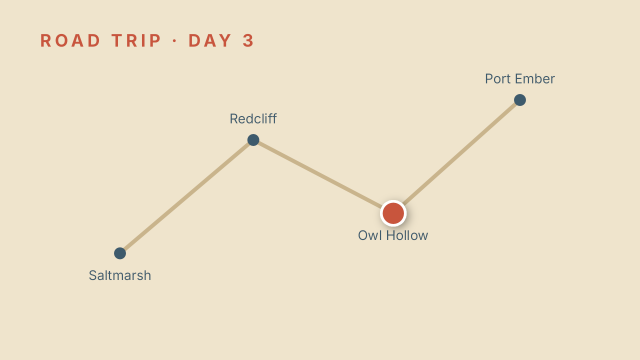
Road Trip Hold Keyframes
A travel-map graphic where a marker jumps from town to town on hold keyframes instead of sliding between them.
Four-Up Video Wall
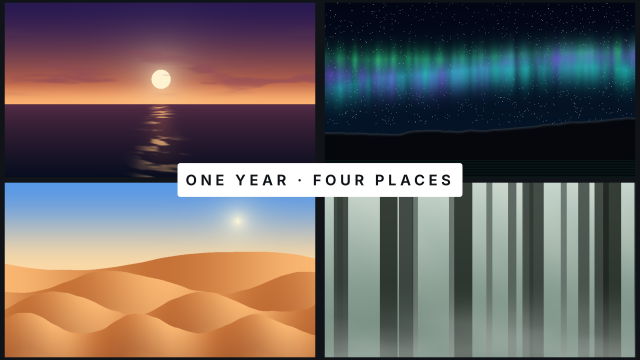
Four shots pop into a 2×2 grid one after another, each scaling up from nothing with an ease-out, before a title lands in the middle.
Ken Burns Sunset Push-In
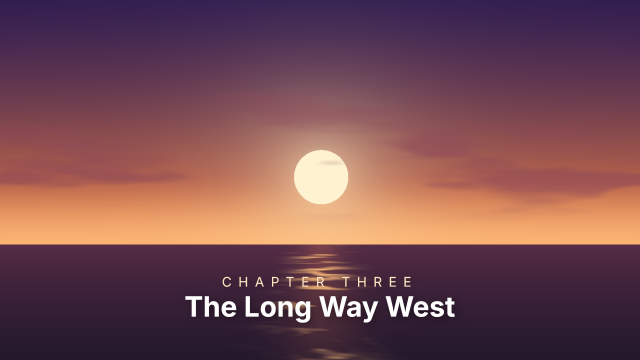
A slow eased push-in that drifts the sun to the centre of frame, the Ken Burns move on Motion scale and position keyframes.
Iris-Out Ending
The closing shot shrinks into a feathered circle around the setting sun, an animated mask expansion, before THE END fades up.